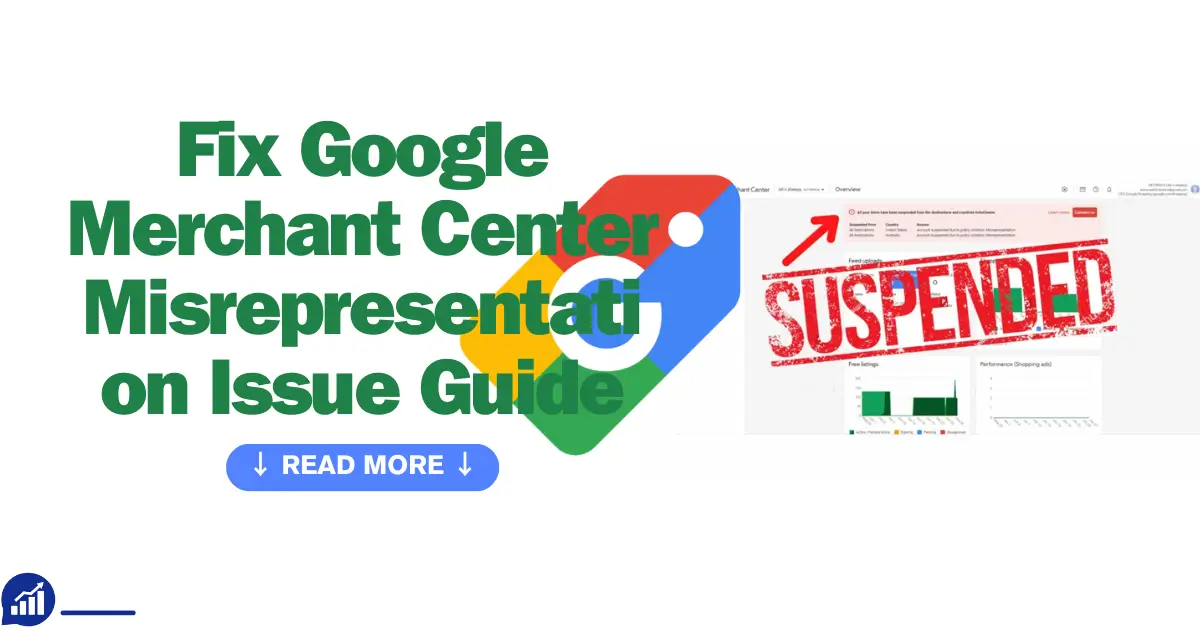
Welcome to this free guide! I’m diving into Google Merchant Center (GMC), a game-changing platform that puts your products in front of millions via Google Shopping. But here’s the catch: misrepresentation issues are a top reason for account suspensions, grinding your ads and sales to a halt.
Drawing from years of experience helping merchants navigate GMC, I’ll walk you through a clear, actionable framework to understand, resolve, and fix Google Merchant Center representation issues. By the end, you’ll have the tools to keep your account compliant, trusted, and driving revenue on Google Shopping.
What is Misrepresentation in Google Merchant Center?
Misrepresentation happens when your product, promotion, or business info is inaccurate or misleading, like false claims, hidden fees, or unclear shipping. Google prioritizes shopper trust, suspending accounts that break these rules to ensure a reliable shopping experience. Let’s explore what this means, how it differs from other violations, and Google’s key trust expectations.
Misrepresentation vs. Other Policy Violations
Google Merchant Center runs on trust, enforced by algorithms and human reviewers who hunt for misrepresentation like hawks. With 12 years of e-commerce experience and 2026 data in hand, I’ve distilled Google’s expectations into five critical pillars. These are your levers to avoid suspensions, build shopper confidence, and drive conversions. Let’s unpack them:
Google’s Trust and Transparency Expectations
Google Merchant Center thrives on trust, using algorithms and manual reviews to flag misrepresentation. Drawing from 12 years of e-commerce expertise, here are five critical expectations, backed by 2026 data, to keep your account compliant.
1. Accurate Product Data
Your product titles, descriptions, prices, and attributes (like GTINs) must mirror your website down to the cent. Data from 2026 shows price mismatches trigger 38% of GMC suspensions—a costly oversight.
For example: If your feed lists a jacket at $29.99, your checkout better not surprise shoppers with $34.99. That’s a suspension waiting to happen.
You can use tools like DataFeedWatch or ChannelAdvisor to sync your feed with your inventory in real time.
2. Be Crystal Clear on Policies
Shoppers hate surprises, and so does Google. Missing or vague return, refund, shipping, or payment policies account for 45% of suspensions, and 2026 studies show 67% of shoppers abandon carts over unclear shipping details. For Example, clearly list all payment methods—credit cards, PayPal, you name it to dodge Google’s flags. Create a “Shipping & Returns” page and link it prominently from your checkout.
3. Lock Down HTTPS Security
Every page, especially checkout, needs HTTPS. A 2026 survey found 82% of shoppers avoid non-secure sites, and Google’s quick to suspend them.
For Example, an HTTP checkout is like waving a red flag at Google—fix it fast or face the consequences. Install an SSL certificate and flaunt trust badges like “Norton Secured” to reassure customers.
4. Keep Promotions Honest
Exaggerated claims or expired discounts are a no-go, causing 45% of suspensions. If you say “50% off,” it better be true and active.
For Example, don’t promise a mattress “cures insomnia” unless you’ve got clinical proof to back it up. Scrub outdated promotions and back claims with evidence.
5. Align Your Business Identity
Your address, phone, and email must match across GMC, Google Ads, Google Business Profile, and your website. Even slight mismatches—like “123 Main St” vs. “123 Main St, Suite 5”—can trigger Google’s risk algorithms.
For Example, Inconsistent addresses confuse Google and shoppers alike, risking your account’s trust. Audit and unify all contact details across platforms.
By nailing these five pillars, you’re not just dodging suspensions—you’re building a foundation for shopper trust and revenue growth on Google Shopping. Stay tuned for how to fix suspensions and keep your account in the clear!
By meeting these expectations, you’ll avoid suspensions, boost shopper trust, and drive conversions on Google Shopping. Next, we’ll cover why suspensions happen and how to fix them!
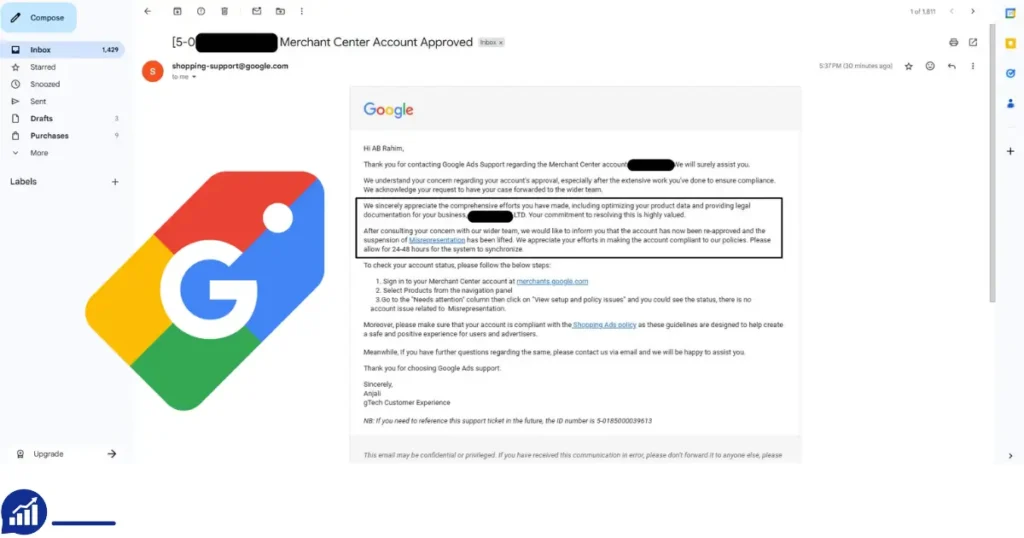
Why Does Google Suspend Merchant Accounts?
Imagine this: your Google Shopping campaigns are humming along, driving clicks and sales, when—bam!—A Google Merchant Center (GMC) suspension stops you cold. It’s a nightmare for any retailer, and misrepresentation issues are often the culprit, shattering shopper trust.
With over a decade of helping merchants navigate GMC’s choppy waters, I’m here to unpack why these suspensions happen, backed by 2026 data, and show you how to dodge them. Let’s dive into the six traps that can tank your account and how to keep your products shining in front of millions.
Six Traps That Trigger Google Merchant Center Suspensions
Misrepresentation accounts for over 90% of GMC suspensions in 2025–2026, according to industry data. Google’s algorithms and reviewers are like trust detectives, sniffing out anything that smells off. Here’s what’s tripping up merchants and how to stay on the right side of the law.
1. Price Mismatches
When your GMC feed says one price—say, $49.99—but your website checkout sneaks in $59.99 with hidden taxes or shipping fees, you’re begging for trouble.
Data shows 38% of suspensions come from these price disconnects. To keep things tight, use tools like DataFeedWatch or ChannelAdvisor to sync your feed with your website’s pricing in real time, and run weekly audits to catch any drift. For example, if your ad promises $49.99, that’s exactly what the checkout should show—no surprises.
2. Misleading Promotions
Promotions are your shop window, but expired or overhyped discounts—like a “50% off” deal that doesn’t apply or claiming “world’s best” without proof—trigger 45% of suspensions.
Keep your offers fresh and truthful. Clear out outdated promotions from your feed and site, and back any claims with solid evidence. A “limited-time sale” without a clear end date? That’s a suspension magnet. Make sure every discount lands at checkout as promised.
3. Unclear Shipping or Fees
Shoppers want shipping costs and timelines upfront, and Google’s no different. Vague or missing details spark policy violations faster than you can say “abandoned cart.”
Build a clear “Shipping” page, link it from every product page, and spell out costs and delivery dates. Hidden fees that pop up at checkout are like kryptonite to your account—transparency is your shield.
4. Missing Policies or Contact Info
Google insists on visible refund, return, and contact details—address, phone, email—that match across your site, GMC, and Google Business Profile. Hidden or missing policies are a common trap. Create accessible policy pages and ensure your contact info is consistent everywhere. For instance, a missing refund policy or mismatched phone numbers can set off Google’s alarms, so get those details locked in.
5. Deceptive Product Images
Your product images need to tell the truth. Stock photos or graphics with promotional overlays? Google calls that deceptive, and it’s a suspension risk. Swap them for high-quality, product-specific images that show exactly what you’re selling—no watermarks or flashy text. Using a generic image for a custom product, like a handmade necklace, is a surefire way to get flagged.
6. Lack of HTTPS
In 2026, an HTTP checkout is like leaving your shop door unlocked—82% of shoppers won’t touch it, and Google will suspend you for it. Install an SSL certificate across your site, especially for checkout, and display trust badges like “Norton Secured” to reassure customers. A non-secure page is a trust-killer, so lock it down to keep Google and shoppers on your side.
By steering clear of these six traps, you’re not just dodging suspensions—you’re crafting a Google Shopping presence that builds trust and drives sales. Stay tuned for how to fix these issues if Google’s already pulled the plug on your account.
Step-by-Step Process to Fix Misrepresentation Errors
So, your Google Merchant Center account got suspended because of misrepresentation? It’s frustrating, but don’t worry. You can totally fix it! I’ve been helping merchants navigate GMC for over a decade, and I’ve got a simple five-step guide to get you back on track. With the latest tips for 2026, you’ll be able to sort out those issues and get your products in front of shoppers again. Let’s dive in!
1. Do a Quick Audit on Your Website and Feed
First things first: check your feed and website for mismatches. Look for things like product titles, descriptions, prices, and availability. Everything needs to match up across the board. Head to the Google Merchant Center Diagnostics page to see what Google has flagged. Double-check your product pages and make sure all the URLs in your feed are working links. If there are any broken links or redirects, that’s a red flag. You can use tools like DataFeedWatch or ChannelAdvisor to make this easier, but a manual review never hurts either.
2. Clean Up Your Product Data
Next, take a good look at your product data. Titles, descriptions, prices, and images need to be accurate and up-to-date. Don’t make any wild claims like “the world’s best” unless you have proof. Make sure the price in your feed matches exactly what’s listed at checkout (including taxes and shipping). And don’t use blurry or stock photos. Your product images should be clear, high-quality, and free of any promotional text. Also, cut out any unsupported product attributes or exaggerated claims. Keep it simple and clear, and don’t stuff your descriptions with keywords.
3. Update Your Promotions
Promotions can be a big issue if they’re not done right. If you’re offering a discount, make sure it’s active and applies at checkout. There’s nothing worse than a shopper getting excited about a 50% off deal only to find out it doesn’t work! Check your feed and website to make sure all promotions are current and truthful. Get rid of any outdated offers, and include clear details like countdown timers for limited-time sales.
4. Build Trust with Clear Policies and Security
Google loves transparency, so make sure your return, refund, shipping, and payment policies are easy to find on your site. Put links to these policies near the checkout area, and double-check that your business contact info is consistent across GMC, your site, and Google Business Profile. Another key thing is to make sure your site is secure. Every page (especially checkout) should have HTTPS, and consider adding trust badges like “Norton Secured” to make shoppers feel safe.
5. Gather Proof and Appeal the Suspension
When you’re ready to appeal the suspension, you’ll need evidence that you’ve fixed the issues. Take screenshots of the changes you’ve made—updated product pages, new policy links, and secure checkout pages. Then, write a short and sweet appeal letter explaining what went wrong and how you fixed it. Reference your screenshots and make sure everything is clear and well-organized. Google wants to see that you’ve addressed every issue, so the more proof you can provide, the better.
By following these five steps, you’ll not only get your account back but also build a stronger, more trustworthy Google Merchant Center account that drives sales.
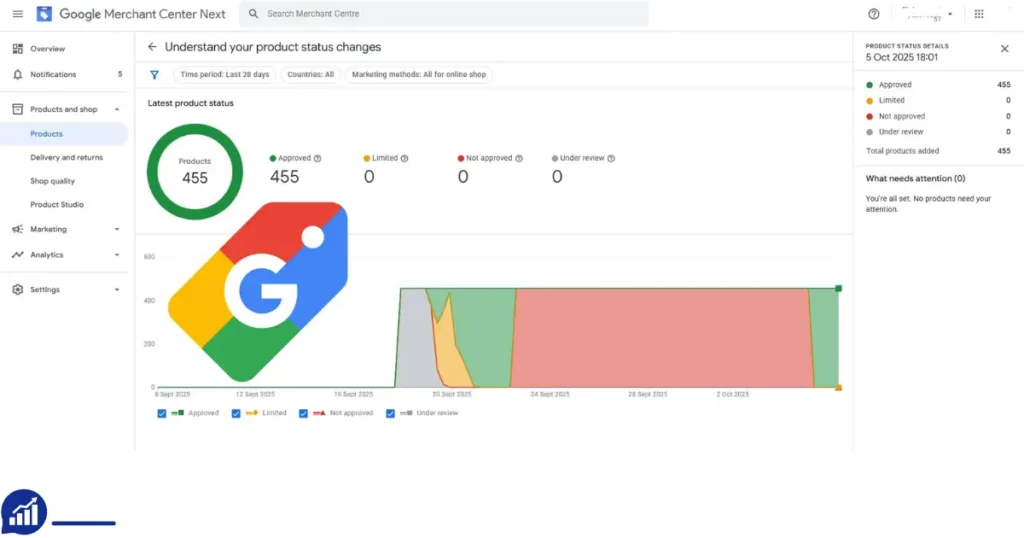
How to Submit an Effective Appeal to Google Merchant Center
A Google Merchant Center (GMC) suspension can feel like a rogue wave crashing over your Google Shopping campaigns, but a sharp appeal can steer you back to calm waters. With years of guiding merchants through GMC’s choppy seas, I’ve crafted a four-step playbook to get your account reinstated fast.
These steps, grounded in 2026 insights, blend clear communication, ironclad evidence, and platform-specific know-how to win over Google’s reviewers. Let’s dive in and get your products shining again.
1. Make a Straight Appeal Letter:
Google’s reviewers are like gatekeepers. They demand honesty and precision. Lay out what tripped you up, how you tracked down the misrepresentation issues, and the fixes you’ve put in place. Keep it tight within the 2000-character limit, pinpointing problems like price mismatches or missing policies, detailing your corrective moves, and pledging ongoing checks to stay compliant. Stick to a professional yet approachable tone, dodging any blame or defensiveness. A clear, no-fluff letter sets you up to win trust and turn the tide.
2. Arm Your Appeal with Bulletproof Evidence:
Evidence is the anchor of your appeal. Pull together timestamped screenshots of your fixes—updated product listings, policy pages, and checkout pages showing HTTPS—and label them clearly for reviewers. Link to live pages, like refund or contact sections, to show your work in action. Summarize your changes in a concise bullet-point log with dates to make things crystal-clear. For specific claims, toss in third-party verifications, like certifications, to strengthen your case. Weak evidence sinks appeals, so make yours rock-solid.
3. Dodge the Denial Trap: Half-hearted appeals are like throwing darts blindfolded—you’ll miss the mark and risk a permanent ban. Fix every flagged issue using Google’s Diagnostics and policy tools before you submit. Resist the urge to flood Google with repeat appeals without fresh fixes; it annoys reviewers and erodes credibility. Focus on one thorough, evidence-packed appeal per cycle. If you’re stuck, consider tapping a GMC-savvy consultant to spot hidden snags. A single, well-aimed shot beats a scattergun approach.
4. Play Smart with Classic vs. Next Platforms: GMC’s appeal process shifts depending on your platform, and knowing the terrain is key. For Classic users, lean into the dashboard’s appeal interface, packing in detailed explanations and document attachments, as Google often gives deeper feedback here. For Next users, the streamlined system demands ultra-concise statements, sometimes with limited uploads or short forms, so keep your pitch razor-sharp. Stay ahead of Google’s evolving appeal rules by tracking official announcements and seller forums. Tailoring your approach to your platform keeps you in the game.
By mastering these four steps, you’re not just lifting a suspension—you’re building a fortress of trust for your GMC account, paving the way for steady sales. Next up, we’ll cover how to keep misrepresentation issues from resurfacing.
Following these precise appeal submission tactics improves your chances of timely reinstatement and helps you build a more compliant and trusted Merchant Center account for long-term success.
Best Practices to Format Product Data for Google Compliance
Getting your product data right for Google Merchant Center (GMC) is like tuning an engine for peak performance—it’s the key to smooth feed approvals and stellar ad results. Google’s 2026 specs demand precision, and any misstep can stall your Google Shopping campaigns. With years of helping merchants fine-tune their feeds, I’ve distilled five battle-tested practices to keep your data compliant and your products in front of shoppers. These steps, grounded in 2026 insights, will boost your visibility and keep suspensions at bay. Let’s get your data revved up and ready to roll.
1. Keep Your Product Info Spot-On and Synced: Your inventory, feed, and website need to move in lockstep. Outdated prices or inconsistent stock status can tank user experience and trigger account issues. Include all must-have attributes: a unique ID like an SKU, a product title capped at 150 characters with no hype, a detailed description up to 5000 characters without links or competitor jabs, exact checkout-matching prices with currency, clear availability status, and brand or manufacturer details where needed. Regular syncs with tools like DataFeedWatch or ChannelAdvisor ensure your data stays fresh, slashing rejection risks and boosting ad placements.
2. Nail Your URLs and Landing Pages: Your product URLs must point straight to the product—no detours to homepages or unrelated pages. Make sure they’re crawlable by Google’s bots, return an HTTP 200 status, and load fast on both desktop and mobile. Optimize for mobile to keep shoppers happy, and steer clear of broken links, redirects, or pop-ups that block access. Clean, direct URLs keep your feed approvals smooth and your user experience on point.
3. Categorize Smart and Use GTIN/MPN Right: Mapping products to Google’s Product Category taxonomy is like giving Google a GPS for your inventory—do it right for better search relevance. Use broad and specific categories for complex catalogs. Include a GTIN for products with manufacturer barcodes or an MPN when no GTIN exists. Accurate identifiers make your products easier to find, cutting disapproval risks and driving more clicks.
4. Use High-Quality, Honest Images: Images are your shop window, and Google’s picky about what’s on display. Go for high-resolution shots—at least 800×800 pixels in JPEG or PNG—showing the product clearly from multiple angles. Skip misleading edits, watermarks, logos, or promotional text, and avoid anything explicit or unrelated. Add up to 10 supplementary images to showcase features or use, boosting shopper confidence and conversion rates.
5. Boost Pages with Structured Data Markup: Think of structured data as a neon sign for Google’s crawlers. Add schema.org markup to your product pages to highlight attributes like price, availability, ratings, and shipping info. Use Google’s Rich Results Test tool to validate your setup and ensure compliance. Rich snippets from proper markup lift your search visibility and unlock special Shopping features, giving your products an edge.
By locking in these five practices, you’re not just dodging GMC suspensions—you’re supercharging your product visibility and shopper experience for 2026 and beyond. Next, we’ll tackle how to keep misrepresentation issues from creeping back.
GMC Misrepresentation Prevention Strategies
Staying clear of GMC suspensions means building habits that keep misrepresentation at bay. These four strategies, backed by 2026 insights, ensure your account stays rock-solid and shopper trust soars. Let’s keep your campaigns humming.
1. Run Monthly Audits: Schedule monthly checks of your feed and website to catch pricing errors, outdated promotions, or missing policies before they bite. Use GMC Diagnostics and tools like ChannelAdvisor to streamline. Audits slash suspension risks significantly.
2. Keep Promotions Honest: Sync promos across your feed, ads, and site, with clear start and end dates. Ditch vague claims like “up to 50% off” and ensure discounts apply at checkout. Transparent promos build trust and cut violations.
3. Stay Policy-Savvy: Keep your team sharp on Google’s policy updates, like 2026’s fee disclosure rules. Use compliance tools to flag issues early. Staying proactive keeps you ahead of enforcement curves.
4. Automate Feeds and Alerts: Leverage platforms like GoDataFeed to sync data and catch errors in real time. Set alerts for price mismatches or invalid URLs. Automation can halve suspension risks by spotting issues fast.
Frequently Asked Questions About Fix Google Merchant Center Misrepresentation Issue
Why Wasn’t My Suspension Reversed After an Appeal?
This usually happens because the fixes you made weren’t complete, or you didn’t provide enough evidence. Make sure you address every issue that was flagged and provide clear proof that it’s been corrected.
How Long Does Suspension Usually Last?
It can last anywhere from a few days to a couple of weeks, depending on how severe the issue is and how quickly you respond as a merchant.
Can Hiring a Third-Party Consultant Help?
Yes, hiring an expert can help you spot issues that you might have missed. But be careful with services that promise a quick fix—they might not always be the best solution.
Differences Between Merchant Center and Google Ads Suspensions
Google Merchant Center suspensions usually involve problems with your product or business data. On the other hand, Google Ads suspensions tend to be related to issues with payment or ad content.
How Often Should I Check My Product Feed for Compliance?
It’s a good idea to check your feed at least once a month, especially before running big campaigns. This will help you stay on top of any potential issues before they become a problem.
Conclusion
You’ve made it through the rough waters of Google Merchant Center misrepresentation, and now it’s time to move forward with confidence. Issues like price mismatches or unclear policies can feel like heavy weights holding down your Google Shopping campaigns, but with the right steps, you can easily overcome them.
By keeping your data in sync, refining your feed, writing clear appeals, and building good habits, you’re not just avoiding suspensions; you’re boosting your visibility and gaining shopper trust. With these 2026 strategies, you’ve got a solid plan for maintaining a compliant, high-performing GMC account. So, take charge, put these practices into action, and watch your products shine. Your next big sale is just around the corner; go for it!