Imagine boosting your online sales with just a few clicks. Adding promotions to Google Merchant Center from your Shopify store can do just that.
It’s like giving your products a shiny spotlight in front of eager shoppers. You want your products to stand out, right? By the end of this article, you’ll know exactly how to set up promotions that grab attention and increase conversions.
Setting Up Google Merchant Center
In the competitive world of ecommerce marketing, standing out is crucial. One effective way is to add promotions to your Google Merchant Center from Shopify. This integration can boost your digital marketing strategies, allowing you to reach more customers and increase sales. Setting up your Google Merchant Center is a vital step in enhancing your promotional campaigns and ensuring your product listings are seen by potential buyers through Google Shopping Ads. Let’s explore how to set up your Google Merchant Center for effective Shopify promotions and online store promotions.
Create A Google Merchant Center Account
To start, head to the Google Merchant Center website. Click on “Get Started.” Fill out the required fields, such as business name and website URL. Ensure your details are accurate to avoid future issues.
Verify And Claim Your Website
Verification is crucial for authenticity. Use Google Search Console to verify your domain. Alternatively, add an HTML tag to your website’s homepage. Once verified, claim your website in the Merchant Center.
Set Up Tax And Shipping
Navigate to the “Tools and Settings” section. Here, you can configure tax rates and shipping settings. Ensure these reflect your online store promotion policy to avoid customer confusion.
Link Your Shopify Store
Integrate your Shopify store with Google Merchant Center. Install the Google Shopping app from the Shopify App Store. Follow the setup instructions to sync your product catalog with Google.
Upload Your Product Feed
Upload your product feed to the Merchant Center. Use the “Products” section to add your feed. Regularly update this feed to ensure your product listings are current and accurate.
Review And Optimize Your Listings
Once your products are live, review them. Ensure all details are correct. Optimize titles and descriptions with relevant keywords. This improves visibility in Google Shopping Ads.
Monitor Performance And Adjust
Check the “Performance” tab regularly. Analyze how your promotional campaigns are doing. Adjust strategies as needed to maximize your digital marketing strategies and increase sales.
Connecting Shopify To Google Merchant Center
Introduction paragraph about Add Promotions to Google Merchant Center From Shopify and Connecting Shopify to Google Merchant Center…
Enhancing product visibility is essential in today’s competitive e-commerce landscape. Shopify and Google Merchant Center offer a seamless connection that can boost promotional campaigns. Integrating these digital marketing tools helps create effective sales promotions and improve product listings. This connection is crucial for online marketing and e-commerce strategies. It enables Shopify promotions to reach a broader audience through Google Ads Integration.
Connecting Shopify to Google Merchant Center enhances your product visibility. It is a straightforward process. Begin by accessing your Shopify admin panel. Navigate to the ‘Apps’ section and search for the Google Shopping app. Install it and follow the setup instructions.
Once installed, connect your Google account. This step is vital for linking your Shopify store to Google Merchant Center. Ensure your Google account has admin privileges. This guarantees a smooth integration.
After linking your accounts, set up your Google Merchant Center. Access your Merchant Center dashboard. Start by entering your business information. This includes your store name, website URL, and contact details. Accurate information helps build trust with potential customers.
Next, configure your shipping and tax settings. Google Merchant Center requires these details for accurate product listings. Ensure they match your Shopify settings. This consistency prevents any confusion during promotional campaigns.
Syncing Product Listings
With your accounts linked, sync your product listings. Go to your Shopify admin panel. Select Google Shopping. Follow the instructions to export your products to Google Merchant Center.
Ensure all product details are correct. This includes titles, descriptions, and prices. Complete information boosts product visibility and encourages clicks during online marketing efforts.
Managing Shopify Promotions
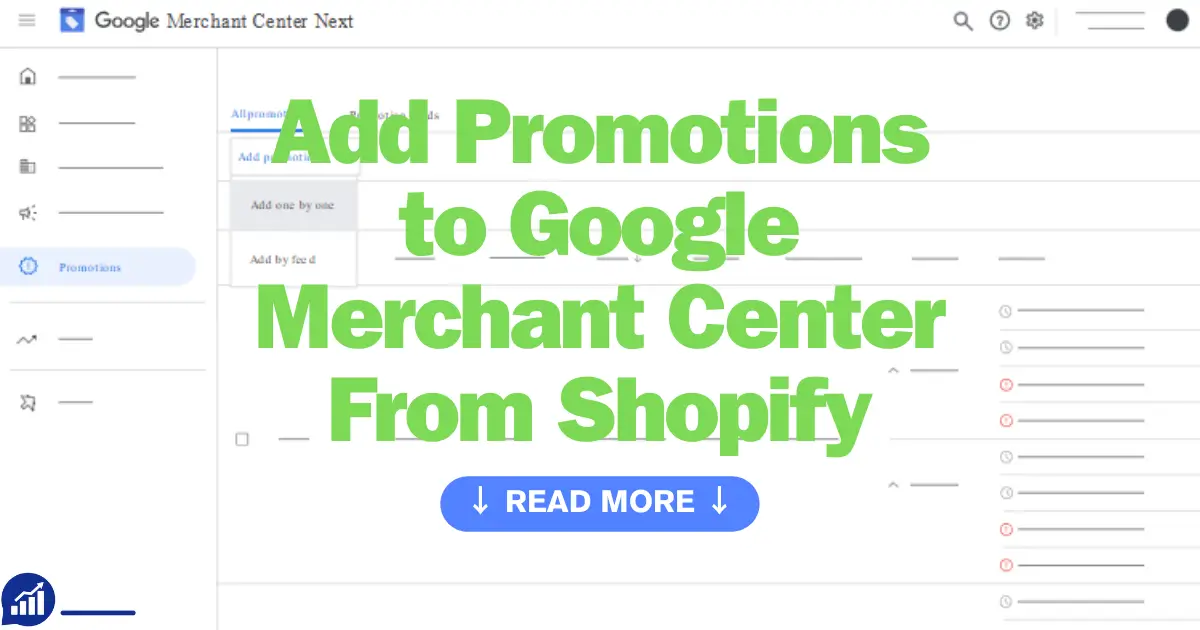
Effectively manage your Shopify promotions through Google Merchant Center. Update your promotional campaigns regularly. Navigate to the ‘Promotions’section in your Merchant Center dashboard. Create new promotions or adjust existing ones.
Use clear, enticing language. Highlight discounts or special offers. This attracts potential buyers and increases engagement. Monitor performance analytics to refine your e-commerce strategies.
Leveraging Google Ads Integration
Google Ads Integration is a powerful tool for enhancing your Shopify promotions. Link your Merchant Center with your Google Ads account. This connection allows you to run targeted ad campaigns.
Utilize keyword research to identify trending search terms. Craft ads that resonate with your target audience. Effective Google Ads Integration maximizes reach and drives traffic to your Shopify store.
Creating Promotions In Google Merchant Center
Ecommerce advertising is crucial for reaching more customers and boosting sales. One effective method involves connecting Shopify to Google Merchant Center. This integration allows online store marketing teams to create promotional campaigns directly from Shopify. Increasing sales becomes easier when you leverage Google Ads integration for your Shopify promotions. Creating promotions in Google Merchant Center is a key step in enhancing your promotional strategies and maximizing product promotions.
Google Merchant Center offers a platform to showcase your product promotions effectively. By creating promotions, you can attract more customers and increase sales. Here’s a step-by-step guide on how to set up these promotions.
Step 1: Access Your Google Merchant Center Account
Begin by logging into your Google Merchant Center account. Ensure that your Shopify store is integrated properly. This connection is vital for syncing your Shopify promotions with Google Merchant Center.
Step 2: Navigate To The Promotions Tab
Once in your account, find the ‘Promotions’ tab. This section allows you to manage promotional campaigns. It’s a central hub for all your product promotions.
Step 3: Create A New Promotion
Click on ‘Create Promotion’. Fill in the required fields such as promotion type, discount code, and duration. Be clear and concise to make your promotional strategies effective.
Step 4: Define Promotion Details
- Promotion Type: Choose from options like discount, gift, or free shipping.
- Discount Code: Set a unique code for customers to use.
- Duration: Specify the start and end dates.
Step 5: Link Promotion To Products
Ensure your promotion is connected to relevant products. Use product IDs to link items to your promotional campaigns. This step is crucial for increasing sales through targeted offers.
Step 6: Review And Submit
Before submitting, review all details carefully. Ensure everything is accurate to avoid issues later. Once satisfied, submit your promotion for approval.
Best Practices For Promotions
| Tip | Description |
|---|---|
| Clear Messaging | Use simple language to describe your offers. |
| Target Audience | Focus promotions on specific customer segments. |
| Track Performance | Monitor the success of each campaign regularly. |
Google Merchant Center is a powerful tool for product promotions. By following these steps, you ensure your Shopify promotions are optimized for success. Engage customers effectively and boost your ecommerce advertising efforts.
Types Of Promotions To Consider
In the competitive world of e-commerce, attracting customers to your online store is crucial. Promotional campaigns are a powerful tool to enhance visibility and drive sales. When integrating Shopify Promotions with Google Merchant Center, selecting the right types of promotions can significantly impact your success. Let’s explore some effective options: Discounts and Coupons, Free Shipping Offers, and BOGO Deals.
Discounts And Coupons
Offering Product Discounts and Coupon Codes can entice customers to complete their purchases. Discounts and coupons serve as excellent e-commerce promotions because they provide direct savings to the buyer.
Here are a few strategies for implementing discounts and coupons:
- Percentage Discounts: Provide a percentage off the total purchase, such as 10% or 20%. This approach can encourage bulk buying.
- Fixed Amount Discounts: Offer a specific dollar amount off, like $5 or $10. This can be effective for lower-priced items.
- Coupon Codes: Use codes for special events or holidays to create urgency and exclusivity.
Incorporate these discounts seamlessly into your Shopify promotions. This way, they appear in your Google Merchant Center listings, enhancing visibility and attracting shoppers.
Free Shipping Offers
Free Shipping Offers are popular among online shoppers. They reduce the final cost, making purchases more appealing. Here’s how to implement them effectively:
- Conditional Free Shipping: Offer free shipping for orders over a certain amount. This encourages customers to buy more.
- Limited Time Offers: Create urgency by offering free shipping for a short period.
Consider using tables to compare different shipping options:
| Shipping Option | Cost | Conditions |
|---|---|---|
| Standard Shipping | $5 | Orders below $50 |
| Free Shipping | $0 | Orders above $50 |
Integrating free shipping into your Google Merchant Center can enhance your retail discounts strategy, making your products more attractive.
Bogo Deals
BOGO Deals or “Buy One, Get One” promotions are a compelling form of retail discounts. They encourage customers to purchase multiple items by offering a free product with a purchase.
Here’s how to leverage BOGO deals in your promotional campaigns:
- Buy One, Get One Free: This classic offer encourages customers to buy two items to receive one free.
- Buy Two, Get One Free: A variation that can increase average order value.
- Mix and Match: Allow customers to choose different products within a category.
Incorporate BOGO deals into your Shopify promotions and reflect them in your Google Merchant Center listings. This online marketing strategy can drive sales and increase customer satisfaction.
Syncing Promotions With Shopify
Syncing promotions between Shopify and Google Merchant Center can enhance your digital marketing strategies. E-commerce businesses often seek seamless integration to boost their online presence. By connecting your Shopify store with Google Merchant Center, you can effectively manage Shopify Product Promotions. This connection allows you to effortlessly add discounts to Google Merchant, enhancing your Google Shopping Campaigns. Let’s explore how to set up and sync your promotions smoothly.
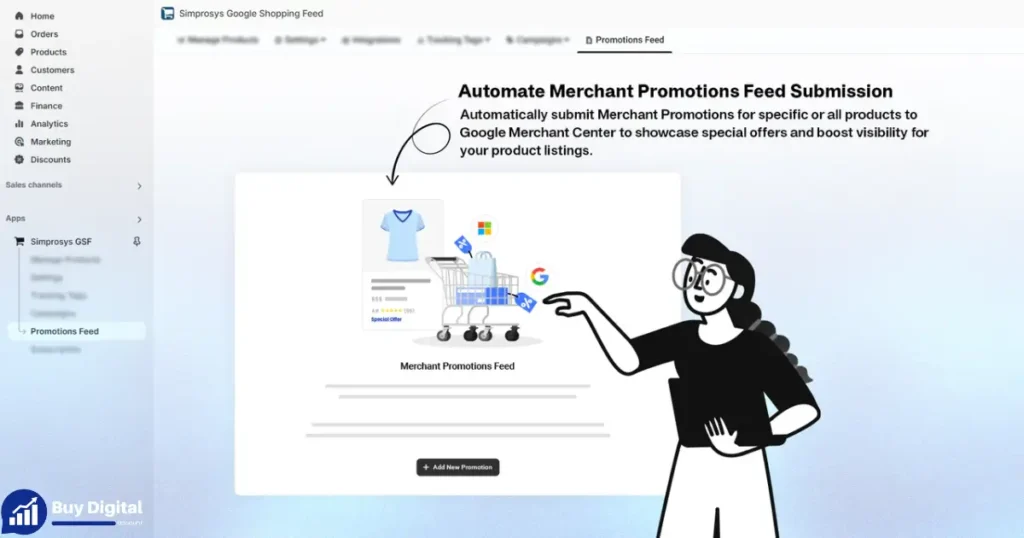
Setting Up Your Promotional Feed
Creating a promotional feed is crucial for displaying promotions on Google. Begin by accessing the Shopify Google Integration section. Ensure your product data is accurate and up-to-date. This step involves configuring your feed settings to reflect current promotions.
Step Description 1: Access Shopify Google Integration. 2: Update product data for accuracy. 3 Configure feed settings
Adding Discounts To Google Merchant Center
After setting up your promotional feed, the next step is adding discounts. Navigate to the Google Merchant Center dashboard. Here, you can input the details of your E-Commerce Promotions. Ensure that your discounts align with your online store promotions. Consistency is key for effective product listing ads.
Optimizing Google Shopping Campaigns
Google Shopping Campaigns benefit greatly from well-synced promotions. Regularly monitor your campaigns for any discrepancies. Adjust your promotional strategies as needed. The aim is to maximize visibility and attract potential customers.
- Ensure promotions align with product listing ads.
- Monitor and adjust campaigns regularly.
- Maximize visibility to attract customers.
Benefits Of Syncing Promotions
Syncing promotions offers multiple benefits. Your online store promotions become more visible. This visibility can lead to increased traffic and sales. Additionally, it provides a streamlined process for managing promotions. Ensuring your Google Merchant Center Promotions are up-to-date enhances your digital marketing efforts.
Monitoring Promotion Performance
In the fast-paced world of e-commerce marketing, tracking the performance of your Shopify promotions in the Google Merchant Center is crucial. Monitoring Promotion Performance helps businesses optimize their Marketing strategies for better results. By understanding how your Online Store Discounts and Promotional Campaigns fare, you can make informed decisions. This ensures your Sales Optimization efforts are on point. Dive into the details of how to effectively monitor these aspects and leverage data for growth.
Using Google Merchant Center Reports
The Google Merchant Center offers detailed reports. These reports show how your Google Shopping Ads and Product Listing Ads perform. You can access metrics like impressions, clicks, and conversions. This data is valuable for understanding customer behavior. It highlights which Add Promotions are working. You can see if a specific promotion is attracting more traffic to your store.
Analyzing Click-through Rates (ctr)
Click-through rates (CTR)are a key performance indicator. They show how often people click on your ads. A higher CTR means your ad is relevant and engaging. Regularly check the CTR for your Shopify Promotions. It helps you understand what catches customer attention. If the CTR is low, consider tweaking your promotional content.
Tracking Conversion Rates
Conversion rates indicate the percentage of visitors who make a purchase. This metric is crucial for Sales Optimization. It tells you how effective your Promotional campaigns are. Use this data to adjust your Marketing Strategies. A low conversion rate might mean your offer isn’t compelling enough. Experiment with different types of Online Store Discounts to find what works best.
Utilizing A/b Testing
A/B testing is a powerful tool in e-commerce marketing. It involves testing two versions of a promotion to see which performs better. Implement A/B tests for your Google Shopping Ads. This helps identify what resonates with your audience. Analyze the results to refine your Shopify Promotions. It’s a smart way to enhance your Product Listing Ads.
Leveraging Seasonal Trends
Seasonal trends affect shopping behavior. Monitor how promotions perform during different times of the year. Tailor your Google Merchant Center strategies to match these trends. You might find certain promotions work better during holidays. Adjust your Online Store Discounts accordingly. This ensures your store stays competitive year-round.
Common Issues And Fixes
Adding promotions to your Google Merchant Center from Shopify can boost your e-commerce presence. It can enhance your promotional campaigns and increase product listings. Many online store owners use Google Shopping Ads and Shopify Promotions for better marketing strategies. Yet, some face common issues during this process. Understanding these issues and knowing how to fix them is vital for successful digital marketing and increased online store sales.
Common Issues With Data Feed
A common issue is incorrect data feed setup. This can lead to errors in your Google Merchant Center. Ensure your product data in Shopify is accurate and complete. Check fields like product title, description, and price. Use the correct format to match Google’s requirements.
Invalid Promotional Code
Another issue is invalid promotional codes. Double-check your promotional codes in Shopify. Ensure they match the codes set in your Google Merchant Center. Incorrect codes can prevent your promotions from appearing in ads.
Missing Gtins Or Mpns
Google requires GTINs (Global Trade Item Numbers) or MPNs (Manufacturer Part Numbers) for product listings. Missing these can cause issues. Ensure all products in your Shopify store have these identifiers. This helps in accurate listing and promotion in the Google Merchant Center.
Promotion Disapproval
Promotions can be disapproved if they don’t meet guidelines. Check Google’s promotion policies. Ensure your Shopify promotions align with these guidelines. This includes accurate start and end dates, clear discount details, and proper promotional language.
| Issue | Fix |
|---|---|
| Data Feed Errors | Ensure accurate product data in Shopify. |
| Invalid Promotional Code | Double-check codes in Shopify and Google Merchant Center. |
| Missing GTINs/MPNs | Provide these identifiers for all products. |
| Promotion Disapproval | Align promotions with Google’s guidelines. |
Inventory And Availability Issues
Inventory issues can affect your promotions. Always update your product availability in Shopify. This ensures accurate information in your Google Merchant Center. Customers see the correct stock status, improving trust and conversion rates.
Price Mismatches
Price mismatches can confuse customers and lead to disapproved ads. Ensure prices in your Shopify store match those in your Google Merchant Center. Regularly update your listings to prevent discrepancies.
Frequently Asked Questions about Add Promotions to Google Merchant Center From Shopify
How Do I Integrate Shopify With Google Merchant Center?
Connect Shopify to Google Merchant Center by installing the Google Shopping app. Sync your products with the app. Configure your account settings. Verify your site using Google Search Console. Submit your product feed to Google Merchant Center. Ensure all products meet Google’s requirements for approval.
How Do I Link My Shopify To Google Ads?
Connect Shopify to Google Ads by using the Google Sales Channel app. Install it from Shopify’s app store. Log in to your Google account. Follow prompts to link your Shopify products to Google Ads. Ensure your products comply with Google’s advertising policies for successful integration.
How To Run Ads On Google Merchant Center?
To run ads on Google Merchant Center, create a Merchant Center account. Upload your product feed and link it to Google Ads. Set up a Shopping campaign in Google Ads. Optimize your product data and bid strategy for better performance.
How To Promote A Shopify Store On Google?
Optimize your Shopify store with relevant keywords and meta tags. Create engaging content and blog posts. Use Google Ads for targeted advertising. Build quality backlinks to increase authority. Ensure your website is mobile-friendly and fast-loading to enhance user experience and improve rankings.
How Do I Link Shopify With Google Merchant Center?
First, install the Google channel app on Shopify. Then, connect your Google Merchant Center account.
Conclusion
Adding promotions to Google Merchant Center from Shopify is simple and effective. This strategy enhances your product visibility and attracts more customers. Follow the steps outlined to connect your Shopify store effortlessly. Regular updates ensure promotions run smoothly and reach your target audience.