


Buying Google Ads Invoice Method: Complete Guide For Marketers
Google Ads is a powerful tool for reaching customers online. Many businesses use Google Ads to promote their products and services. But managing payments for Google Ads can be confusing, especially when you need invoices for accounting or tax purposes. One solution is the Google Ads invoice method. This article will help you understand what it is, how it works, and how you can use it to make your advertising easier and more professional.
If you manage a company, work in marketing, or handle finances, knowing about the invoice method can save time and help you stay organized. We’ll cover everything you need to know, including setup steps, payment options, pros and cons, and practical advice based on real-world experience.
By the end, you’ll be confident about using Google Ads invoicing for your business.
What Is The Google Ads Invoice Method?
The Google Ads invoice method is a special way to pay for Google Ads. Instead of paying with a credit card or bank transfer every time you run ads, Google sends you a monthly invoice. You pay this invoice after you receive it, usually once per month.
This method is also called monthly invoicing or postpay invoicing. It’s popular with larger businesses, agencies, and organizations that need official documentation for their expenses. Invoices make it easier to track spending, budget for ads, and report costs to accountants or tax authorities.
How Does It Work?
When you use the invoice method, Google lets you run ads during the month. At the end of the billing cycle, Google calculates your total spend and creates an invoice. You then pay this invoice by bank transfer or other accepted methods, usually within 30 days.
Here’s a typical workflow:
- You run ads on Google Ads as normal.
- Google tracks your spending.
- At the end of the billing period, Google sends you an invoice.
- You pay the invoice by the due date.
Who Can Use The Invoice Method?
Not everyone can use the invoice method. It is mostly available to:
- Businesses with a high monthly ad spend (usually over $5,000 USD)
- Agencies managing multiple accounts
- Companies with established credit history
- Organizations needing official invoices for bookkeeping
If you are a small advertiser or new to Google Ads, you may not qualify. Google reviews your account and decides if you can use monthly invoicing. Sometimes you need to apply and provide documents like your company registration or tax ID.
Benefits Of Using The Invoice Method
Switching to the invoice method offers several advantages for businesses and agencies. Here are the main benefits:
- Better cash flow management: You pay after ads run, not before. This gives you more flexibility with your budget.
- Official documentation: Invoices are recognized by accountants and tax authorities. You get a clear record of your ad spend.
- Easier reconciliation: All ad costs are grouped into one monthly invoice. You don’t need to track many small payments.
- Professional image: Using official invoicing shows you are a serious business partner. This can help with client relationships.
- Custom payment terms: Sometimes you can negotiate longer payment deadlines, like 30 or 45 days.
- Centralized control: Agencies can manage many accounts and pay with one invoice.
Example: Agency Handling Multiple Clients
Imagine you are an agency managing ads for ten clients. With the invoice method, you get one bill at the end of the month. You pay, then invoice your clients separately. This saves hours of paperwork and makes your accounting easier.
Non-obvious Insight
Some companies use the invoice method to improve their internal processes. For example, they can synchronize ad payments with their payroll or supplier payments, making cash flow more predictable.
Drawbacks And Risks
While the invoice method is convenient, it’s not perfect. There are some risks and downsides to consider:
- Strict eligibility: Not all advertisers qualify. Small or new businesses may need to use other payment methods.
- Credit check required: Google may check your company’s credit history. If you have bad credit, you may be denied.
- Late payment penalties: If you miss the payment deadline, Google can pause your ads or charge fees.
- Complex setup: Applying for invoicing takes time. You need to fill forms and provide documents.
- Minimum spend: You usually need to spend at least $5,000 USD per month, though requirements can change by country.
Real-world Example
A startup tried to switch to invoicing but was denied because their spend was too low. They had to continue using credit cards, which created extra work for their finance team.
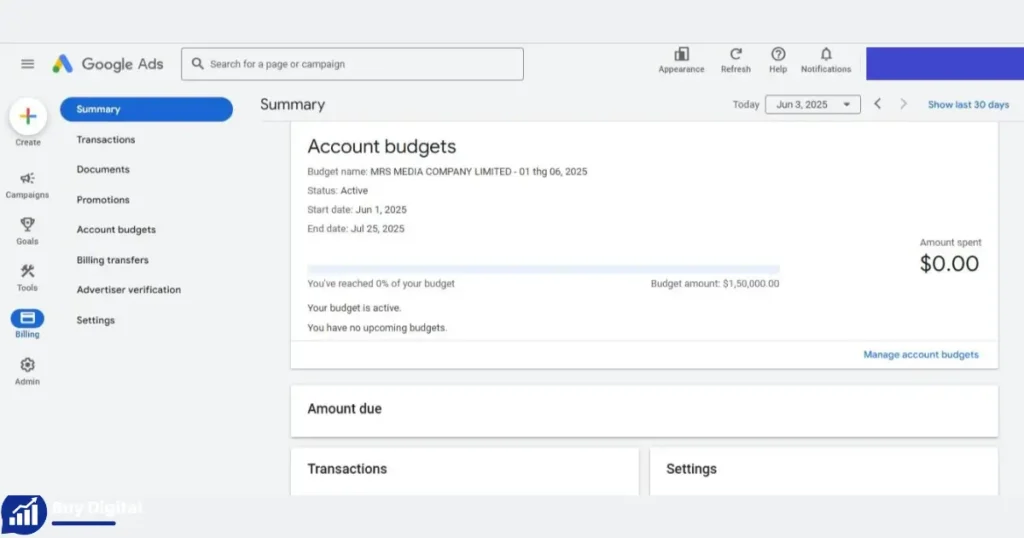
Comparing Payment Methods In Google Ads
Let’s compare the main ways to pay for Google Ads: credit card, bank transfer, and invoice method.
| Payment Method | Eligibility | Documentation | Flexibility | Typical Users |
|---|---|---|---|---|
| Credit Card | Anyone | Basic receipts | Immediate payment | Small businesses, individuals |
| Bank Transfer | Anyone | Receipts | Prepay or autopay | Medium businesses |
| Invoice Method | High spend, approved users | Official invoices | Postpay, custom terms | Agencies, large companies |
As shown, the invoice method gives more documentation and flexibility, but requires approval and higher spend.
How To Apply For Google Ads Invoice Method
Getting approved for the invoice method takes several steps. Here’s how the process usually works:
- Check eligibility: Make sure your monthly spend is high enough (usually $5,000 USD or more). Check Google’s current requirements for your country.
- Contact Google Ads support: Go to your Google Ads account and find the “Billing” section. Look for “Apply for monthly invoicing.”
- Submit documents: You may need to provide your business registration, tax ID, address, and credit references.
- Wait for approval: Google reviews your application. This can take a few days to a few weeks.
- Set up payment terms: If approved, Google will assign you a credit limit and payment terms (like 30 days).
- Start using invoice method: Your billing changes to monthly invoicing. You begin receiving invoices at the end of each billing cycle.
Practical Tips
- If you don’t see the option in your account, contact Google Ads support directly.
- Prepare your documents in advance to speed up approval.
- Make sure your business name and address match official records.
Non-obvious Insight
Some companies are approved for invoice method after showing stable ad spend for several months, even if they don’t meet the spend threshold at first. Consistent activity and good payment history can help.
Managing Your Google Ads Invoices
Once you’re approved, managing invoices is important. Here are key points for handling your Google Ads invoices:
Understanding Invoice Details
Each invoice contains:
- Your company name and address
- Google’s billing information
- Invoice number
- Billing period
- List of campaigns and ad spend
- Payment instructions
- Due date
Review each invoice carefully. Make sure all details are correct. If you find errors, contact Google Ads support.
Payment Methods
Most invoice payments are made by bank transfer. Google provides an account number and payment reference. Some countries allow payment by check or other methods.
Tracking Payments
Keep records of all payments. Mark invoices as paid in your accounting system. If you miss a payment, Google may pause your ads or charge penalties.
Common Mistakes To Avoid
- Missing payment deadlines: Always pay on time. Late payments can hurt your reputation and pause your ads.
- Incorrect payment references: Use the exact reference number provided. This ensures Google matches your payment to your account.
- Ignoring invoice errors: Fix any mistakes quickly. Wrong details can cause problems with tax authorities or auditors.
Example: Payment Workflow
A large retailer receives an invoice on the 1st of the month. Their finance team checks the details, approves payment, and sends a bank transfer within 10 days. They keep a copy of the invoice and payment confirmation for their records.
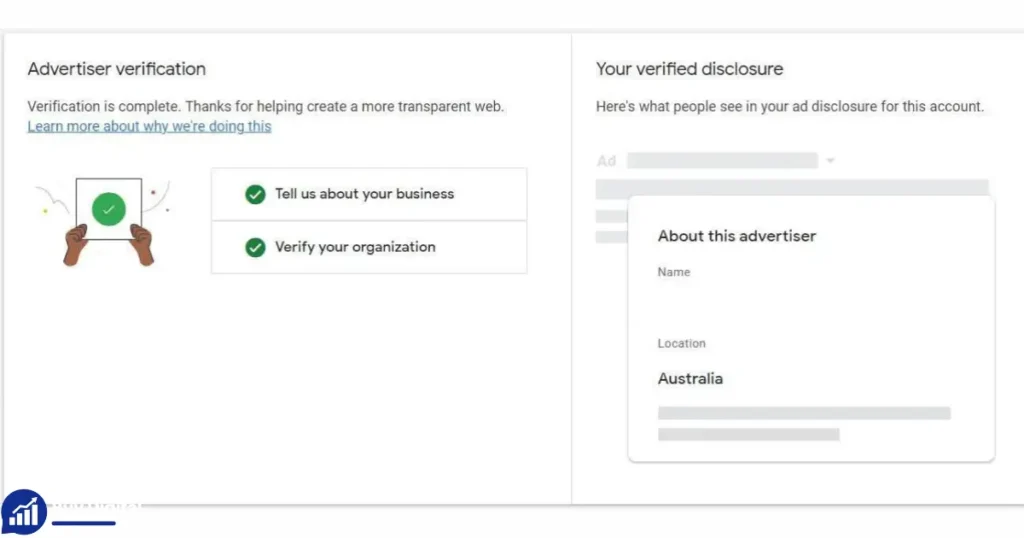
Google Ads Invoice Method For Agencies
Agencies often handle advertising for many clients. The invoice method offers special advantages:
Centralized Billing
Agencies can link multiple client accounts to one billing profile. This means one invoice covers all accounts. It’s easier to manage and saves time.
Client Reporting
Official invoices help agencies show clients exactly how much was spent. This builds trust and makes reporting clearer.
Cash Flow Control
Agencies can pay Google, then invoice their clients. This gives them control over payments and timing.
| Agency Scenario | Without Invoice Method | With Invoice Method |
|---|---|---|
| Client Billing | Separate payments for each client | One monthly invoice for all clients |
| Documentation | Multiple receipts | Official, detailed invoice |
| Accounting | Complex reconciliation | Simplified, centralized records |
Practical Advice
Agencies should keep detailed records of client spending. Use the invoice as a reference but also track individual campaign costs.
Google Ads Invoice Method For International Businesses
If your company operates in more than one country, invoicing gets more complex. Here’s what you should know:
Local Tax Laws
Google’s invoices usually include local tax information, like VAT or GST. Make sure the invoice fits your country’s requirements.
Multiple Currencies
Invoices may be issued in different currencies depending on your location. This can affect your budgeting and accounting.
Cross-border Payments
If you pay from one country to another, check for extra fees or bank charges. Some banks charge for international transfers.
Example: Global Company
A multinational business runs ads in the US, UK, and India. They receive separate invoices for each country, each with local tax details and currency.
Non-obvious Insight
Some companies negotiate custom invoicing arrangements with Google to match their internal processes. For example, they may ask for invoices on a specific day or in a certain format.
How To Read And Interpret Google Ads Invoices
Understanding your invoice helps with accounting and tax reporting. Here’s how to read key parts:
Key Fields
- Invoice number: Unique identifier for tracking.
- Billing period: Dates covered by the invoice.
- Campaign breakdown: Shows spend by campaign.
- Tax details: Includes VAT, GST, or other taxes.
- Payment instructions: How and where to send payment.
- Due date: When payment must be made.
Example Breakdown
Suppose your invoice shows:
- Total spend: $12,000
- VAT: $2,400
- Due date: March 30
- Bank account: Provided by Google
You pay $14,400 by bank transfer before March 30.
Practical Tips
- Match invoice numbers with your records.
- Check tax amounts for accuracy.
- Save all invoices for audits.
Troubleshooting Common Issues With Google Ads Invoices
Problems can happen with invoicing. Here’s how to fix the most common issues:
Delayed Invoices
Sometimes invoices arrive late. This can cause cash flow problems. Contact Google Ads support if you don’t receive your invoice on time.
Incorrect Details
If names, addresses, or tax IDs are wrong, request a correction. Google can issue a revised invoice.
Payment Problems
If your payment doesn’t match Google’s records, check your bank details and payment reference. Contact support to resolve mismatches.
Paused Ads
If you miss a payment, Google may pause your ads. Pay quickly and ask support to reactivate your campaigns.
Example: Mistaken Address
A business moved to a new office. Their invoice showed the old address. They asked Google for a correction, then updated their records.
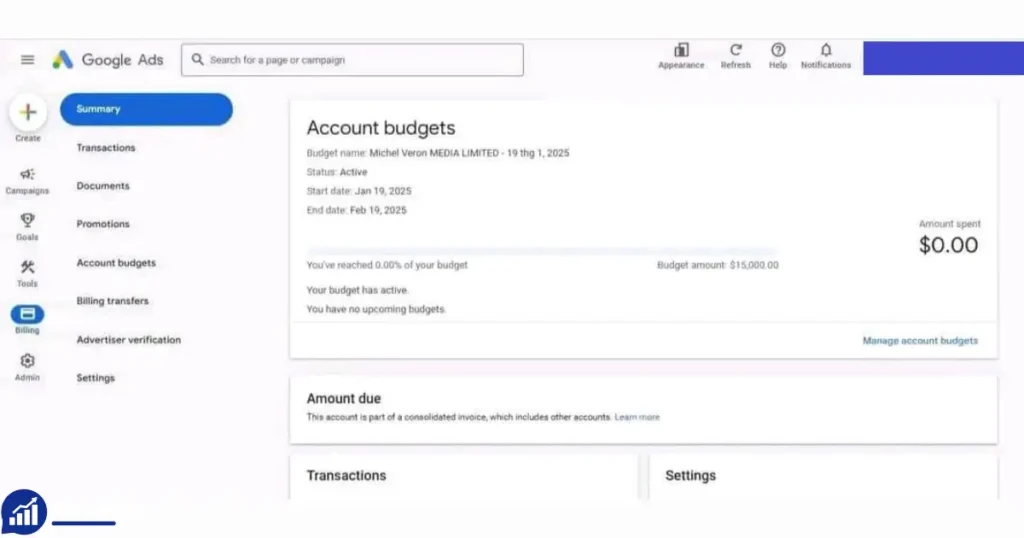
Optimizing Google Ads Spend With Invoice Method
The invoice method helps you track spending and optimize your ads. Here’s how to use it for better results:
Analyze Campaign Performance
Use the invoice breakdown to see which campaigns cost the most. Adjust budgets to focus on high-performing ads.
Budget Planning
Invoices show your total spend. Plan future budgets based on past invoices. Set limits to avoid overspending.
Negotiating Terms
If your spend increases, ask Google for better payment terms or higher credit limits. This can improve cash flow.
Example: Seasonal Business
A travel company spends more on ads during summer. They use invoices to track seasonal changes and plan for next year.
Non-obvious Insight
Some companies use invoice data to negotiate discounts with Google or request special support. High spenders can often get extra help.
Security And Compliance When Using the Google Ads Invoice Method
Handling invoices involves sensitive data. Here’s how to stay secure and compliant:
Data Protection
Store invoices securely. Use password-protected folders and limit access to finance staff.
Compliance
Make sure invoices meet your country’s tax and legal requirements. Check if you need to report VAT, GST, or other taxes.
Audit Preparation
Keep copies of all invoices and payment records. Auditors may ask for these documents.
Example: Audit Scenario
A company was audited by tax authorities. They provided Google Ads invoices and payment confirmations, passing the audit easily.
Google Ads Invoice Method Vs. Prepay And Autopay
Some advertisers use prepay or autopay instead of invoicing. Here’s a comparison:
| Feature | Invoice Method | Prepay | Autopay |
|---|---|---|---|
| Payment Timing | After ads run | Before ads run | Automatic after spend |
| Documentation | Official invoice | Basic receipt | Basic receipt |
| Eligibility | Approved high spenders | Anyone | Anyone |
| Payment Flexibility | Custom terms | Limited | Limited |
The invoice method is best for companies needing professional documentation and flexible payment terms.
Real-world Success Stories
Large Retailer
A major retailer switched to monthly invoicing. Their finance team saved 15 hours per month on reconciliation. They could track ad spend easily and pass audits with no issues.
Digital Agency
An agency managed 20 client accounts. With invoice method, they received one bill per month, simplified their accounting, and improved client trust.
International Manufacturer
A manufacturer used invoices to meet compliance in several countries. They paid Google on time and avoided penalties.
Non-obvious Insight
Some businesses use invoice data for internal reports, helping managers understand marketing ROI and adjust strategies.
Steps To Transition To Invoice Method
If you use a credit card or prepay and want to switch, follow these steps:
- Review your monthly ad spend. Make sure you meet Google’s threshold.
- Prepare documents: Company registration, tax ID, proof of address.
- Contact Google Ads support and request monthly invoicing.
- Complete the application form.
- Wait for approval and credit assessment.
- Update your billing profile and payment contacts.
- Start using invoices for future ad spend.
Practical Advice
Plan the transition for the start of a billing cycle. This makes accounting smoother.
Key Differences By Country
Google Ads invoice method works differently in each country. Here are some examples:
- US: Minimum spend is usually $5,000 USD/month. Invoices include sales tax if applicable.
- UK: Invoices show VAT. Spend threshold and credit check apply.
- India: Invoices include GST details. Spend threshold may be higher.
- Germany: Invoices must meet strict legal requirements for accounting.
Check Google Ads support pages for your country’s exact rules.
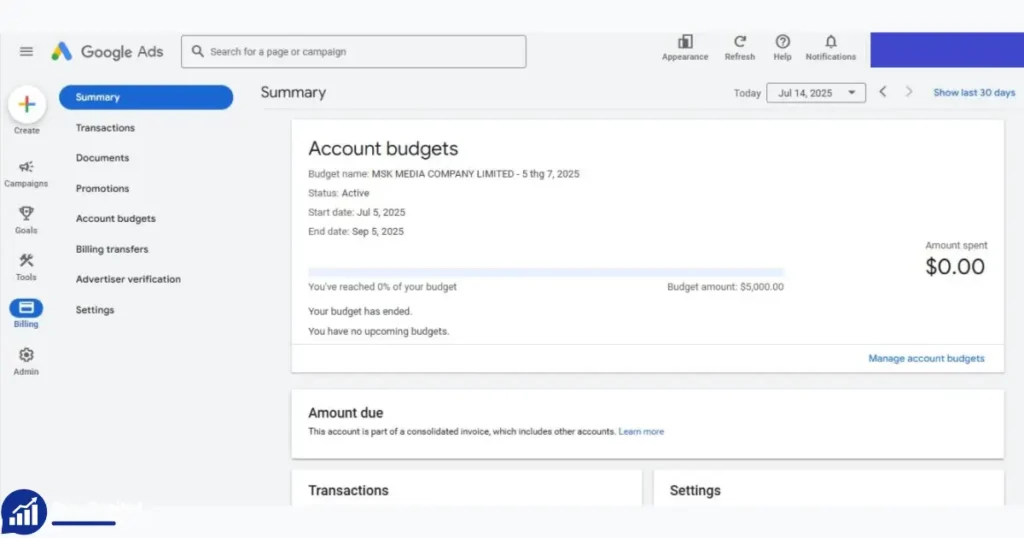
Frequently Asked Questions of Buy Google Ads Invoice Method
What Is The Minimum Spend For Google Ads Invoice Method?
The minimum spend is usually around $5,000 USD per month. However, this can vary by country and account history. Consistent spending over several months improves your chances.
Can Small Businesses Use The Invoice Method?
Usually, small businesses do not qualify unless their ad spend is high. Google mainly offers invoicing to large companies, agencies, and established advertisers.
How Long Does Approval Take?
Approval can take a few days to a few weeks. Prepare documents in advance to speed up the process. Delays happen if Google needs more information.
What Happens If I Miss A Payment?
If you miss a payment, Google may pause your ads and charge penalties. Always pay invoices before the due date to avoid disruption.
Where Can I Find Official Guidance From Google?
Google provides official guidance on its support pages. For the latest details, visit Google Ads Help.
Final Thoughts
Using the Google Ads invoice method can make advertising easier for businesses and agencies. It provides better documentation, flexible payment terms, and professional management of ad spend. But it requires approval, steady spending, and careful handling of invoices. If your company qualifies, switching to this method can save time, improve accounting, and help you focus on growing your business. Stay organized, pay on time, and use invoice data to optimize your marketing results. With the right approach, the invoice method can become a valuable part of your advertising strategy.







– Nathan Scott
I purchased the invoice method for my agency, and it works flawlessly. Great communication and support.