


Buying a Taboola Ads account is a fast way to start native advertising. For many, Taboola is the doorway to huge web traffic. If you want to run ads on major news sites, Taboola can help. But getting an account isn’t always simple. There are strict rules, account limits, and many advertisers face delays or bans. That’s why buying a ready-to-use Taboola account is now popular for both beginners and experienced marketers.
This article will guide you through everything about buying a Taboola Ads account. You’ll see the types, prices, and what’s included. We’ll cover risks, how to choose wisely, and give real examples. You’ll also find tables comparing features and prices.
If you’re thinking about native ads, this guide will help you avoid mistakes and make smart choices.
Why Buy A Taboola Ads Account?
The world of native advertising is competitive. Taboola is one of the top platforms for content discovery ads. These ads appear on big websites like NBC News, Bloomberg, and MSN. But getting started with Taboola can be tough. Here are reasons people buy Taboola accounts:
- Instant Access: Skip the long approval process. Many new accounts are rejected or delayed.
- Verified Status: Bought accounts are usually already verified, saving time and hassle.
- Campaign History: Some aged accounts have campaign history, which gives more trust and can help with higher spend limits.
- Ready Funds: Some accounts are preloaded with balance, so you can launch campaigns right away.
- Bypass Restrictions: If you’ve been banned, buying an account lets you try again.
Many agencies and solo advertisers find buying an account more practical than starting from scratch. Still, it’s important to know what you’re getting and what risks are involved.
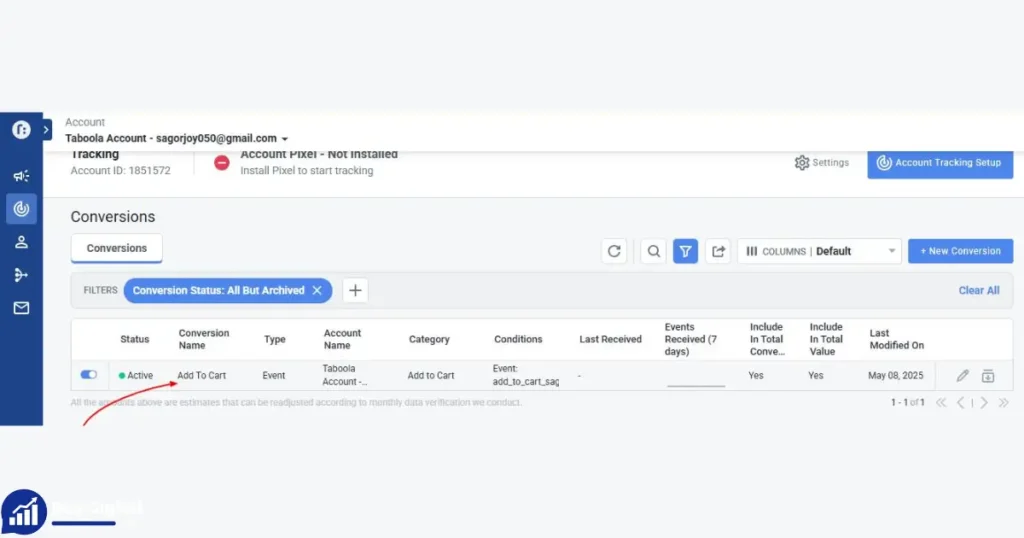
Taboola Account Types And Pricing
There are several types of Taboola Ads accounts for sale. Each fits different needs and budgets. Here’s a clear comparison:
| Account Type | What’s Included | Price (USD) | Who It’s For |
|---|---|---|---|
| New Taboola Ads Account | Verified, no campaign history, Ads Manager access | $120 | Beginners or fresh starts |
| New Account + $300 Preloaded Balance | Verified, $300 balance, Ads Manager access | $350 | Start campaigns immediately with funds |
| Aged Account (3–6 months) – No Balance | Verified, 2–5 campaigns done, Ads Manager access | $180 | Some history without extra cost |
| Aged Account (3–6 months) + $200 Balance | Verified, 2–5 campaigns done, $200 balance, Ads Manager access | $250 | Small campaigns with ready funds |
| Aged Account + Moderate Spend (6–12 months) – No Balance | 6–12 months old, $5k–$10k spend, Ads Manager access | $300 | Trusted account with solid history |
| Aged Account + Moderate Spend + $300 Balance | 6–12 months old, $5k–$10k spend, $300 balance | $350 | History-backed accounts with funds |
| Premium Aged Account (12+ months) – No Balance | 12+ months, $10k+ spend, Anti-Detect Browser & Proxy | $450 | High-budget advertisers |
Each account type has its own benefits. If you’re just starting, a new account is cheapest. If you need trust or higher spend, aged accounts are better. For big campaigns, premium accounts are best.
What Does “Aged” Mean?
An aged Taboola account has been open and used for months or years. These accounts usually:
- Have run real campaigns
- Spent money on Taboola
- Built trust with Taboola’s system
Aged accounts are less likely to face sudden bans, and can often spend more money each day.
Why Is Account History Important?
Taboola’s algorithm trusts accounts with history. If an account has spent thousands of dollars, it’s seen as stable. This can help your campaigns:
- Get approved faster
- Have higher daily spend limits
- Face fewer review delays
Some advertisers also find aged accounts have fewer restrictions on ad types or landing pages.
What’s Included When You Buy
Buying a Taboola Ads account usually gives you:
- Login details: Email and password
- Ads Manager access: Full campaign creation and management
- Verified status: Email and phone verified
- Billing setup: Often ready for you to add your payment details
- Account balance: If included, you get a preloaded balance for campaigns
- Campaign history: Some aged accounts show previous campaigns, which can help with trust
Some sellers add extras, like proxy setup or anti-detect browser details. This is mostly for high-budget accounts and advanced users.
How To Choose The Right Taboola Account
Picking the best account depends on your goals and budget. Here’s what to consider:
- Your Budget: If you have limited funds, start with a basic account.
- Campaign Size: If you plan big campaigns, look for aged accounts with history and spend.
- Need for Preloaded Balance: If you want to launch ads fast, pick an account with funds.
- Risk Profile: Aged accounts are usually safer from bans, but cost more.
- Technical Extras: If you want maximum privacy, look for accounts with anti-detect browser and proxy setup.
| Feature | New Account | Aged Account | Premium Account |
|---|---|---|---|
| Verified Status | Yes | Yes | Yes |
| Campaign History | No | Yes | Yes |
| Preloaded Balance | Optional | Optional | Optional |
| Spend Limit | Low | Medium | High |
| Anti-Detect Browser | No | No | Yes |
| Proxy Setup | No | No | Yes |
Think carefully before buying. If you plan to scale your ads, it’s worth paying more for a trusted, aged account.
Where To Buy Taboola Ads Accounts
The Taboola platform does not officially sell accounts. Buying accounts is usually done through third-party sellers, agencies, or private brokers. Here’s where people find accounts:
- Specialized agencies: These companies offer verified accounts and often provide support.
- Online forums: Sites like BlackHatWorld and digital marketing communities list sellers.
- Private brokers: Some sellers operate through Telegram, WhatsApp, or Discord.
- Referral networks: Friends or colleagues may recommend reliable sellers.
Warning: Many scams exist in this market. Always check the seller’s reputation. Look for:
- Past reviews from real buyers
- Transparent contact details
- Clear refund policy
- Live demo or screenshot of account
If a deal sounds too good to be true, it probably is. Avoid sellers who rush you or ask for payment without proof.
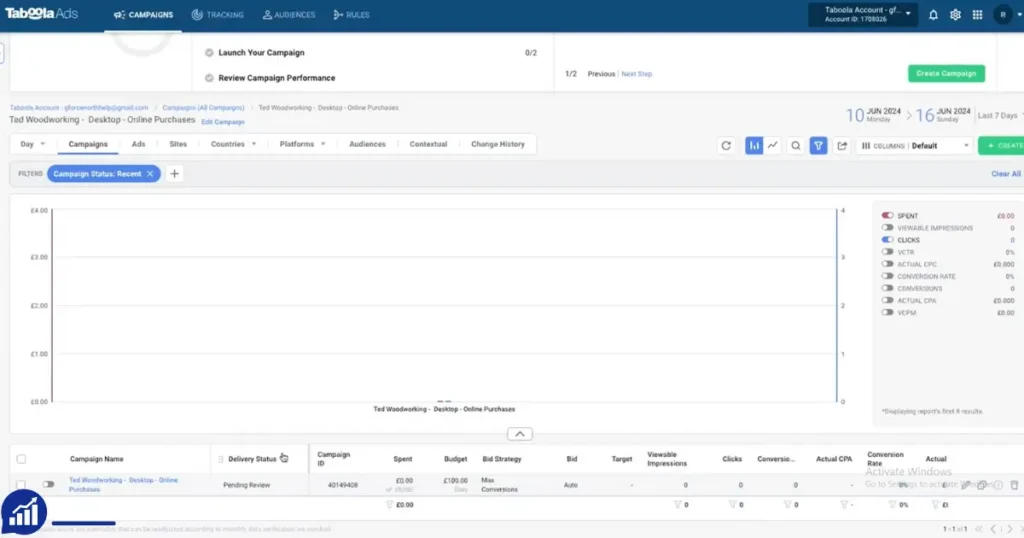
Risks And Challenges
Buying a Taboola Ads account is not risk-free. Here are the main risks:
- Account Ban: Taboola may ban accounts bought from third parties, especially if rules are broken.
- Fraud: Some sellers are fake. They sell accounts that don’t work, or disappear after payment.
- Ownership Issues: If the seller keeps access, they can take back the account.
- Payment Problems: You may face issues linking your billing details if the account was set up in another country.
- Compliance: Using an account for banned content or misleading ads can cause instant closure.
It’s important to follow Taboola’s guidelines. If you run risky ads, even a premium account can be banned. Always keep backups and stay ready for sudden changes.
Non-obvious Insights
- IP Address Matters: Taboola tracks login locations. If you log in from a new country, it can trigger a review. Use VPNs or proxies that match the account’s original location.
- Account Transfer Timing: Wait at least 24–48 hours after purchase before changing emails or passwords. Sudden changes can trigger security checks.
How The Buying Process Works
Here’s a typical process when buying a Taboola Ads account:
- Contact Seller: Reach out, ask for details, and check their reputation.
- Choose Account Type: Pick based on your needs and budget.
- Payment: Most sellers use PayPal, crypto, or bank transfer.
- Receive Account Info: You get login details and instructions for setup.
- Secure Ownership: Change passwords, add your email, and update billing.
- Start Campaigns: Launch ads, test the account, and check limits.
Example Of A Real Buying Experience
Anna, an e-commerce marketer, bought an aged Taboola account for $300. The account had a 6-month history and $7,000 spend. Anna:
- Contacted the seller on a trusted forum
- Paid via PayPal after seeing screenshots
- Got login details within an hour
- Used a VPN matching the account’s country
- Ran her first campaign with no issues
She avoided mistakes by moving slowly, not changing account details too quickly, and starting with low-budget ads.
Legal And Ethical Considerations
Buying accounts is a gray area. Taboola’s terms usually forbid transferring accounts. If you buy, you risk losing the account if discovered.
Legal risks: In most countries, buying an account is not illegal, but it’s against platform rules. If you run ads for banned products, you may face bigger problems.
Ethical concerns: Some marketers avoid buying accounts because it can hurt trust with partners or clients. Always use accounts responsibly and avoid misleading ads.
Setting Up A Bought Taboola Account
After you buy, setup is important. Here’s how to do it safely:
- Secure the Account: Change passwords, set up two-factor authentication if possible.
- Update Contact Info: Add your email and phone number, but not all at once. Do it slowly over days.
- Set Up Billing: Add your payment method. If the account was from another country, use a payment solution that matches.
- Check Campaign Limits: Run small test campaigns first. This helps check if the account works well.
- Monitor Performance: Watch for any alerts or review requests from Taboola.
Common Mistakes To Avoid
- Changing all details at once (triggers review)
- Logging in from a very different country (can flag the account)
- Running high-budget campaigns immediately (raises suspicion)
- Ignoring seller instructions (each account may have unique setup needs)
Start slow and build trust with Taboola’s system. This reduces risk.
Comparing Taboola To Other Native Ad Platforms
Taboola is not the only native ad platform. Here’s how it compares to others like Outbrain and Revcontent:
| Platform | Minimum Deposit | Approval Time | Spend Limits | Top Sites |
|---|---|---|---|---|
| Taboola | $50 | 1–5 days | Up to $5k/day (new), $10k+ (aged) | Bloomberg, MSN, NBC News |
| Outbrain | $25 | 1–3 days | $2k/day (new), $5k+ (aged) | CNN, The Guardian |
| Revcontent | $100 | 1–2 days | $1k/day (new), $3k+ (aged) | Newsweek, Forbes |
Taboola is more strict with approvals but offers higher spend and access to bigger sites. Buying an aged Taboola account can make it easier to scale ads faster.
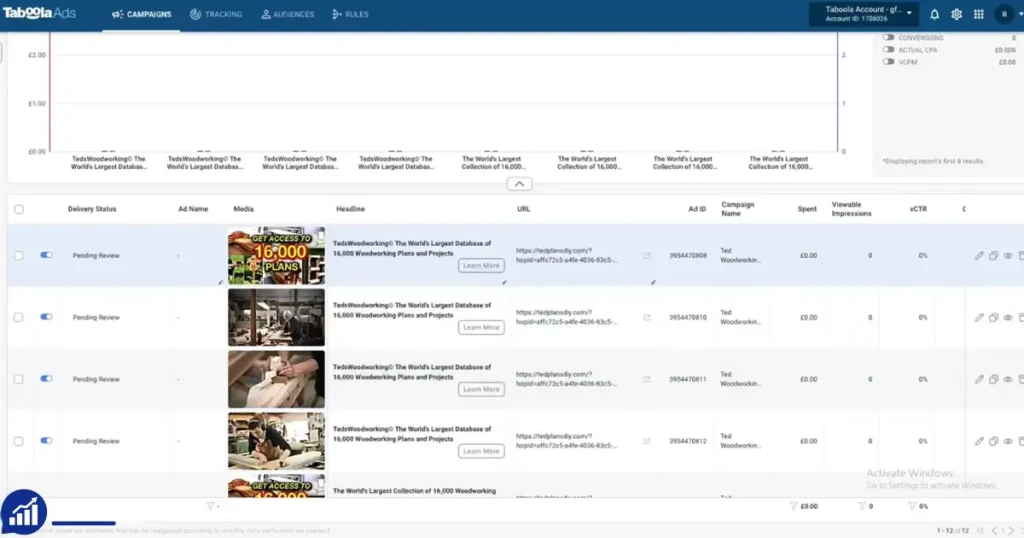
Who Should Buy A Taboola Ads Account?
Not everyone needs to buy an account. Here’s who benefits most:
- Banned advertisers: If your main account is closed, buying lets you try again.
- New agencies: Agencies launching new client campaigns can skip delays.
- Experienced marketers: Those wanting to scale faster or test new offers.
- Global advertisers: If you need an account from a different country, buying is often easier.
If you only run small campaigns, opening a new account yourself may be enough.
Real Data: How Much Do Taboola Accounts Cost?
Prices vary based on type and features. Here’s a summary:
- New account: $120–$150
- New with balance: $300–$350
- Aged account (3–6 months): $180–$250
- Aged with balance: $250–$350
- Aged + moderate spend (6–12 months): $300–$350
- Premium aged (12+ months): $450–$600
Most sellers offer discounts for bulk orders. Some charge extra for proxy setup, anti-detect browser, or special billing options.
Advanced Tips For Safe Buying
- Ask for a live demo: Reliable sellers show the account in action via Zoom or screenshots.
- Check for blacklist: Make sure the account email is not on Taboola’s blacklist.
- Verify spend history: Look for campaign screenshots showing real spend.
- Use escrow: If possible, pay through an escrow service for extra safety.
- Start small: Test with low-budget ads before scaling.
Many buyers miss these steps. Taking them reduces risk and helps you get a working account.
What To Expect After Buying
Once you buy, here’s what usually happens:
- Immediate access: You get login details within hours.
- Quick campaign launch: Accounts with balance can start ads right away.
- Support: Good sellers offer support for setup and troubleshooting.
- Ongoing risk: Always be ready for sudden account reviews or bans.
If you follow best practices, most bought accounts work well for months or years.
Alternatives To Buying Taboola Accounts
If you don’t want to buy, you have options:
- Open a new account: Go through Taboola’s official process. Takes longer but is safest.
- Partner with an agency: Agencies can run ads for you, using their own accounts.
- Use other platforms: Try Outbrain, Revcontent, or similar networks.
Some marketers succeed by building a good history with Taboola from the start. For risky offers, buying an account is often faster.
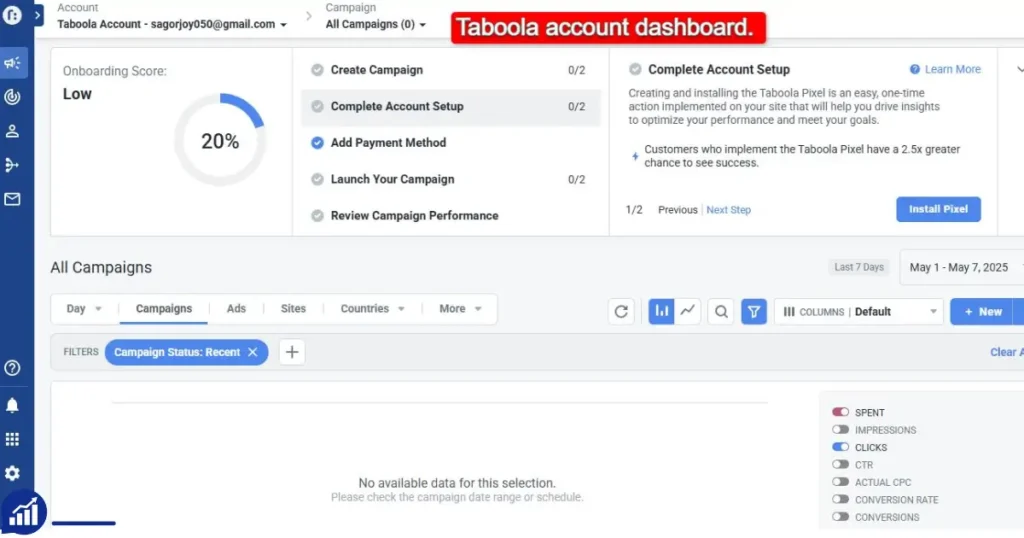
Frequently Asked Questions
What Is The Safest Way To Buy A Taboola Ads Account?
The safest way is to use a trusted agency or a seller with many positive reviews. Ask for proof, use escrow if possible, and avoid sellers who rush you or ask for odd payment methods.
Can I Change All Account Details After Buying?
You should not change everything at once. Update details slowly over days. Too many changes can trigger Taboola’s security review and risk account closure.
Is Buying A Taboola Account Allowed By Taboola?
No, Taboola’s terms forbid transferring or selling accounts. Buying is against the rules. If discovered, your account may be banned. Use bought accounts carefully and avoid risky ads.
How Do I Avoid Getting Banned After Buying?
Log in from the original country, use a VPN or proxy, start with small campaigns, and avoid changing too many details quickly. Follow Taboola’s guidelines and avoid forbidden content.
What Happens If The Seller Disappears After Payment?
If the seller is unreliable, you may lose your money and not get the account. Always check reviews, ask for proof, and use secure payment methods. Trusted agencies are safer than random sellers.
Buying a Taboola Ads account can be a shortcut to native advertising success, but it comes with risks. If you plan well, choose carefully, and follow best practices, you can launch campaigns faster and reach big audiences. For more info on native ads and platform rules, see the official Taboola Advertiser Policies.







– Minh Nguyen
Taboola Ads Account was approved immediately. Campaigns went live without delay. Excellent!