

Buy X Ads Threshold Account: Pricing, Options, And Practical Guidance
Running ads on X (formerly Twitter) is a smart way to reach new customers, boost brand awareness, and drive traffic. But managing campaigns on X Ads can be tricky, especially when you need a threshold account. If you’ve heard about X Ads Threshold Accounts but aren’t sure what they are, how they work, or which pricing option fits you best, you’re in the right place.
This article explains everything about buying X Ads Threshold Accounts. You’ll learn what they are, why marketers use them, pricing details, features you get, and how to pick the right type for your needs. We’ll also cover how to avoid common mistakes, compare options, and answer popular questions.
Whether you’re new to X Ads or an experienced advertiser, this guide will help you make confident decisions.
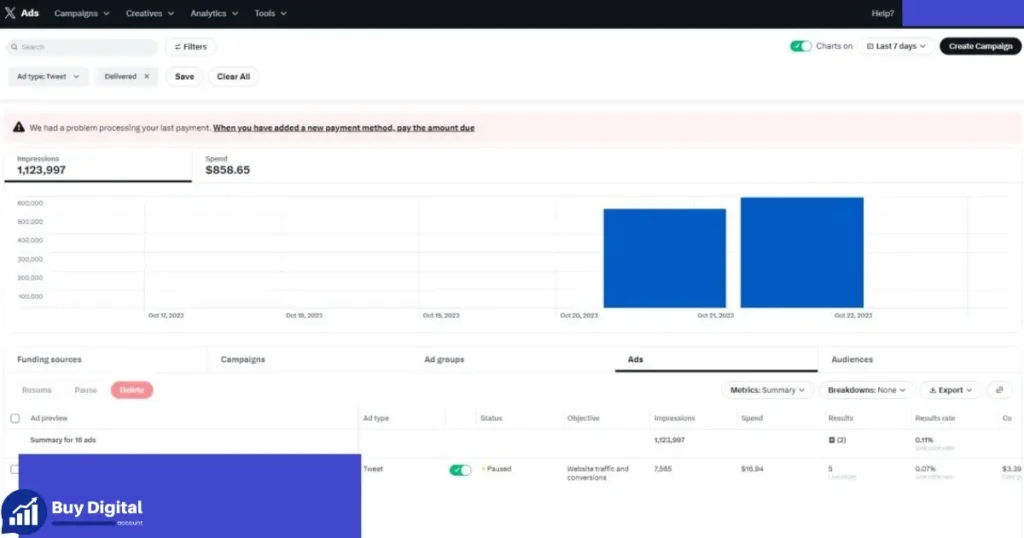
What Is An X Ads Threshold Account?
An X Ads Threshold Account is a special type of account used for advertising on X. It lets you run ads without paying for each campaign upfront. Instead, you can spend up to a certain amount (the “threshold”) and pay after you reach it. This is different from the prepaid account, where you must add funds before running ads.
Threshold accounts are popular because they offer flexibility. You can launch campaigns, test ideas, and pay later. This is helpful for businesses that want to scale fast or manage cash flow.
Key Features Of Threshold Accounts
- Post-pay billing: Pay only after you reach your spending limit.
- Verified account: Usually comes fully verified, so you don’t need extra steps.
- Anti-detect browser: Helps prevent account bans and keeps your campaigns safe.
- Residential proxy: Makes your account look more “real” to X, lowering risk of suspension.
These extras are often bundled to help you run ads smoothly and avoid common platform issues.
Why Marketers Use X Ads Threshold Accounts
Threshold accounts make life easier for marketers and agencies. Here’s why they are so popular:
- Run bigger campaigns: No need to add funds for each campaign. Spend up to your limit, then pay.
- Scale faster: Launch multiple ads without waiting for payments to clear.
- Manage risk: Anti-detect browsers and proxies help keep accounts safe.
- Save time: Verified accounts skip tedious setup and ID checks.
For agencies managing many clients, threshold accounts are essential. They enable fast results and reduce downtime.
X Ads Threshold Account Pricing Made Simple
One of the biggest questions is how much these accounts cost and what you get. Pricing is straightforward, with different levels depending on your budget and needs. Here’s a breakdown of the main options:
| Account Type | Price ($) | What You Get | Who It’s For |
|---|---|---|---|
| X Ads Threshold Account – $100 | $50 | Fully verified account Anti-Detect Browser Residential Proxy | Great for beginners or small campaigns just starting. |
| X Ads Threshold Account – $250 | $125 | Fully verified account Anti-Detect Browser Residential Proxy | Ideal if you’re running medium campaigns with a bit more budget. |
| X Ads Threshold Account – $500 | $250 | Fully verified account Anti-Detect Browser Residential Proxy | Perfect for pros or agencies juggling multiple campaigns. |
| X Ads Threshold Account – $1000 | $500 | Fully verified account Anti-Detect Browser Residential Proxy | For larger campaigns that need ready-to-use ad funds fast. |
| X Ads Threshold Account – $2000 | $1000 | Fully verified account Anti-Detect Browser Residential Proxy | Built for enterprises or anyone handling large budgets. |
How Pricing Works
For every account type, you pay an upfront fee (the price) and get a ready-to-use threshold amount. For example, with the $100 threshold account, you pay $50, and your account is set up to spend $100 before payment is required.
This structure helps you:
- Get more ad spend for less upfront cash.
- Start running campaigns immediately.
- Choose the right level for your business size.
Who Should Choose Which Option?
- Beginners: The $100 threshold is usually enough to test the platform and see results.
- Growing businesses: $250 or $500 thresholds allow more flexibility and higher spend.
- Agencies and pros: $1000 or $2000 thresholds are best for managing multiple campaigns or clients.
You don’t have to start big. Many marketers begin with a lower threshold, learn the platform, then upgrade as their campaigns grow.
Comparing Threshold Accounts: What Really Matters
Choosing the right threshold account isn’t just about price. You need to consider several factors to find the best fit. Here’s a clear comparison to help you decide:
| Feature | $100 | $250 | $500 | $1000 | $2000 |
|---|---|---|---|---|---|
| Upfront Cost | $50 | $125 | $250 | $500 | $1000 |
| Verified Account | Yes | Yes | Yes | Yes | Yes |
| Anti-Detect Browser | Included | Included | Included | Included | Included |
| Residential Proxy | Included | Included | Included | Included | Included |
| Best For | Small campaigns | Medium campaigns | Professional use | Large campaigns | Enterprise |
| Upgrade Options | Easy | Easy | Easy | Easy | Easy |
Insights Beginners Usually Miss
- Threshold isn’t always your daily spend. The threshold is the total you can spend before needing to pay, not a daily limit. You can use it over days or weeks.
- Account safety tools matter. Anti-detect browsers and proxies are not just extras—they help prevent bans, which can disrupt your campaigns.
If you’re new, starting small lets you learn without risking much money. As you grow, upgrading is simple, and you can scale up without switching platforms or losing campaign data.
How To Buy An X Ads Threshold Account
Buying a threshold account is easy, but there are steps to follow for best results. Here’s how to do it:
- Choose the right threshold level. Decide based on your budget and campaign needs.
- Find a reliable seller. Only buy from trusted sources with good reviews.
- Check for included features. Make sure an anti-detect browser and proxy are part of the package.
- Verify the account status. Confirm it’s fully verified to avoid delays.
- Pay securely. Use safe payment methods, and ask for documentation.
- Test your account. Before launching big campaigns, run a small test ad.
Practical Example
Let’s say you’re a small business owner. You choose a $100 threshold account for $50. After buying, you get login details, browser setup, and proxy instructions. You run a $20 ad campaign to test, see good results, and scale up.
If your campaigns perform well, you upgrade to a $500 threshold account. This lets you launch multiple ads at once and manage higher spend.
Using Anti-detect Browsers And Residential Proxies
These tools are included with most threshold accounts. They are vital for keeping your account safe and working smoothly.
- Anti-detect browser: This software hides your real identity and prevents X from linking your account to others. It’s useful if you run ads for multiple clients or brands.
- Residential proxy: This service routes your internet traffic through real home IP addresses, making your account look more genuine.
Together, they lower the risk of account bans and let you manage campaigns from different locations without problems.
Common Mistakes
- Ignoring browser setup: Not using the anti-detect browser can lead to quick bans, especially if you log in from multiple places.
- Skipping proxy setup: Using public WiFi or office IPs without a proxy can trigger security checks.
Always follow setup instructions carefully. If you’re not sure, ask the seller for help or look for guides online.
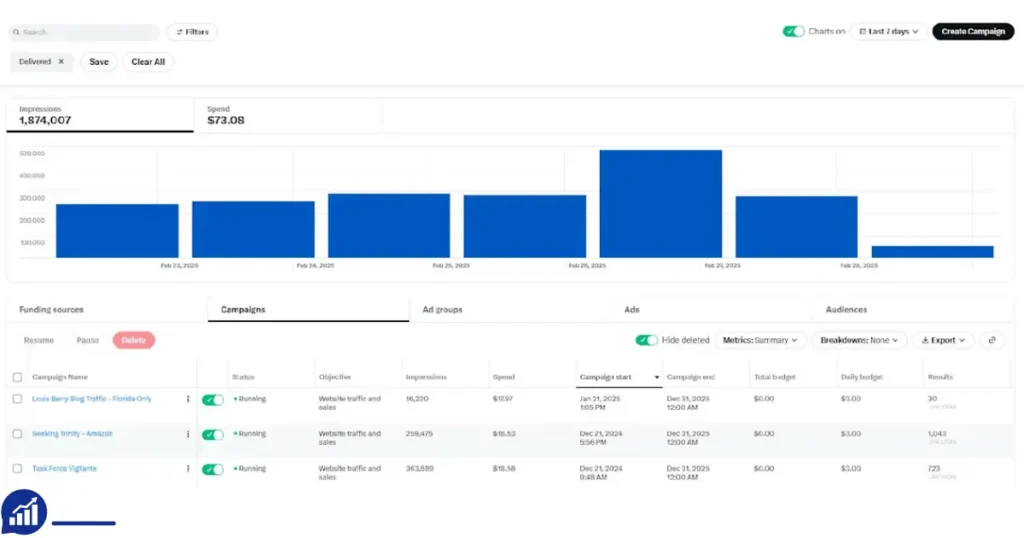
How Threshold Accounts Help Agencies And Enterprises
Large teams and agencies love threshold accounts because they offer flexibility and control. Here’s why:
- Manage multiple clients: Each threshold account can be used for a different client, keeping campaigns separate.
- Scale campaigns quickly: No waiting for payments or approvals. Launch ads when needed.
- Reduce downtime: If one account hits the threshold, switch to another and keep running ads.
For enterprises, having several threshold accounts is essential. It ensures consistent ad delivery and prevents campaign interruptions.
Risks And How To Avoid Them
Buying and using threshold accounts comes with risks. Here’s what to watch for:
- Account bans: If X detects unusual activity, accounts may get suspended.
- Fraudulent sellers: Some sellers offer fake or unverified accounts.
- Payment issues: Using risky payment methods can lead to loss of funds.
Tips To Stay Safe
- Buy from trusted sources: Check reviews and ratings. Avoid deals that seem too good to be true.
- Use included tools: Anti-detect browsers and proxies are there for a reason.
- Start small: Test with low spend before scaling up.
- Keep records: Save all receipts and documentation.
If you ever face account issues, contact X support or your seller right away. Acting fast can help recover your account or funds.
Best Practices For Running X Ads With Threshold Accounts
To get the most from your threshold account, follow these best practices:
- Monitor spend: Keep track of your threshold and avoid overspending.
- Plan campaigns: Set clear goals and budgets for each ad.
- Test ads: Try different creatives and targeting to see what works.
- Review performance: Check analytics and adjust your strategy.
- Upgrade when needed: Move to higher thresholds as your business grows.
Example Workflow
A marketing agency starts with three $250 threshold accounts for different clients. They use anti-detect browsers and proxies for each login. Campaigns run smoothly, and as budgets increase, they upgrade to $1000 accounts. This lets them manage larger spends without downtime.
Real-world Success Stories
Many businesses have grown fast by using threshold accounts. Here are two examples:
- Small startup: Began with a $100 threshold account. Tested ads for a new product, got good results, and expanded to a $500 threshold. Now spends over $1000 per month on X Ads.
- Agency: Manages ads for five clients. Uses a mix of $250 and $1000 threshold accounts. Campaigns are always live, clients are happy, and the agency can scale anytime.
These stories show the power of threshold accounts for both small and large teams.
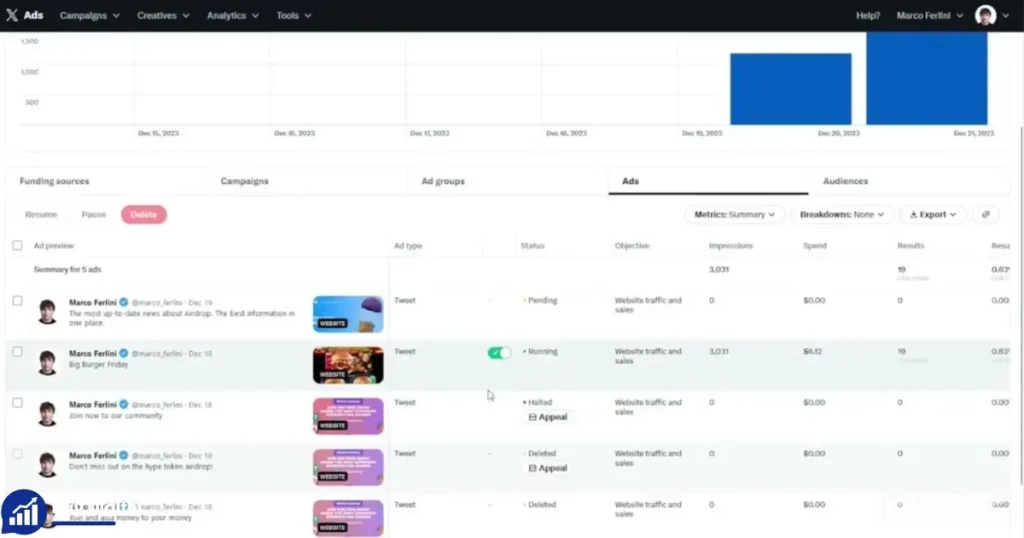
Data And Trends: Why Threshold Accounts Are Growing
X Ads has become one of the top platforms for digital marketers. In 2026, over 70% of advertisers increased their spend on X, according to industry reports. Agencies and businesses need flexible billing to keep up with demand.
Threshold accounts are part of this trend. They help marketers:
- Launch campaigns faster
- Manage cash flow better
- Reduce payment delays
With anti-detect browsers and proxies, safety is improved. This is why threshold accounts are now standard for many top agencies.
Upgrading Your Threshold Account
As your business grows, you’ll need more ad spend. Upgrading is simple. Here’s how:
- Contact your seller: Ask about higher threshold options.
- Verify account status: Make sure the new account is fully verified.
- Get new login and tools: Receive updated browser and proxy instructions.
- Transfer campaigns: Move your ads to the new account.
Upgrading lets you scale without losing campaign data or starting over.
Choosing The Right Seller: What To Look For
Picking the right seller is critical. Here’s what to check:
- Reputation: Look for sellers with positive reviews and a proven track record.
- Support: Make sure they offer help with setup and troubleshooting.
- Transparency: Sellers should be clear about what’s included and how billing works.
- Security: Choose sellers who offer safe payment methods and protect your data.
Don’t rush. Take time to research and ask questions. A good seller will make the process easy and safe.
X Ads Threshold Account Vs. Prepaid Accounts
Some marketers wonder if threshold accounts are better than prepaid accounts. Here’s a quick comparison:
| Feature | Threshold Account | Prepaid Account |
|---|---|---|
| Billing | Post-pay (pay after threshold) | Pre-pay (pay before running ads) |
| Flexibility | High | Low |
| Scaling | Easy | Slower |
| Setup Time | Fast (verified account) | May require verification |
| Risk of Suspension | Lower (with browser/proxy) | Higher (if not set up correctly) |
| Best For | Agencies, pros, enterprises | Small advertisers |
Threshold accounts are best for those who want speed, flexibility, and safety. Prepaid accounts work for simple, small campaigns.
How To Avoid Common Buyer Mistakes
When buying X Ads Threshold Accounts, many beginners make mistakes. Here’s what to avoid:
- Buying unverified accounts: Always choose fully verified accounts.
- Ignoring included tools: Anti-detect browser and proxy are essential.
- Overpaying: Compare prices and features before buying.
- Skipping research: Read reviews, ask questions, and check seller credentials.
- Not testing: Run a small campaign first to confirm everything works.
By avoiding these errors, you’ll get better results and protect your investment.
Frequently Asked Questions
What Is The Difference Between A Threshold Account And A Prepaid Account?
A threshold account lets you run ads and pay after reaching a spending limit. A prepaid account requires you to add funds before running ads. Threshold accounts are more flexible and allow faster scaling.
Can I Use A Threshold Account For Multiple Campaigns?
Yes, you can run several campaigns within the threshold limit. Agencies often use multiple threshold accounts to manage different clients or brands.
Why Do I Need An Anti-detect Browser And Residential Proxy?
These tools protect your account from bans. Anti-detect browsers hide your online identity, and residential proxies make your activity look more genuine. They are important for safe, long-term use.
How Do I Upgrade My Threshold Account?
Contact your seller and request a higher threshold account. Make sure it’s fully verified and includes the same safety tools. Transfer your campaigns to the new account and continue running ads.
Where Can I Find Trusted Sellers?
Research online, check reviews, and ask for recommendations. You can also look at industry forums or visit sites like Source Name for more information.
Buying an X Ads Threshold Account is a smart move for marketers who want to scale campaigns on X. With clear pricing, flexible options, and included safety tools, these accounts make running ads easier and safer. Start small, learn the system, and upgrade as your business grows. Always choose trusted sellers, follow best practices, and use the included tools to protect your account. With the right threshold account, you’ll reach more customers, manage campaigns efficiently, and see better results on X Ads.






– Santiago Gomez
X Ads Threshold Account worked perfectly for my campaigns. No issues at all. Highly recommended!