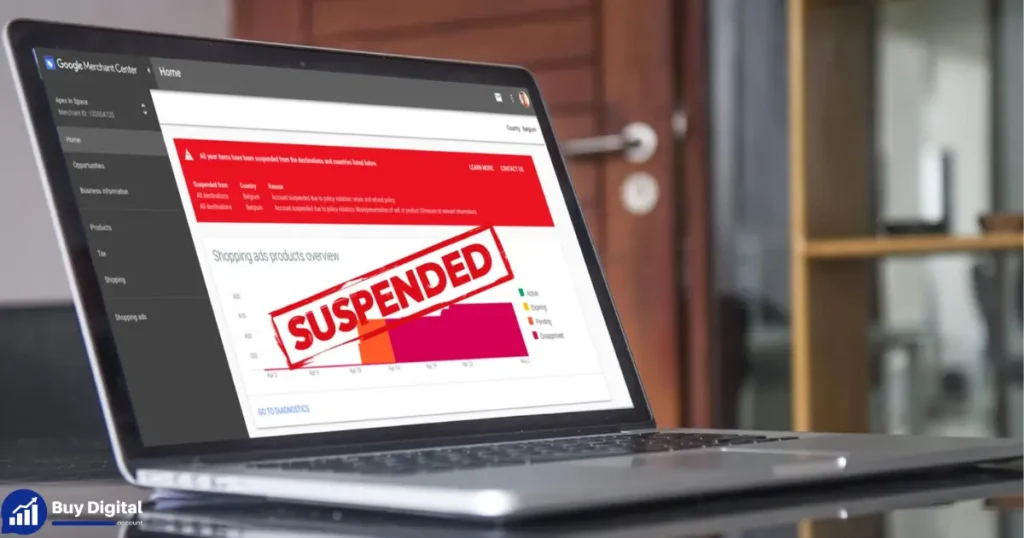
If you’re running an e-commerce business, you’ve likely used Google Merchant Center to upload your product feed for Google Ads and Shopping ads. But what happens if your Google Merchant Center account gets suspended?
Suspensions happen for a variety of reasons, mainly due to Google’s strict trust and compliance policies. While these rules protect businesses and users, a suspension can still cause serious setbacks. For e-commerce businesses, it means lost ad visibility, reduced sales, and the challenge of getting your account reinstated.
Industry reports show that around 5% of Google Merchant Center accounts are suspended each year, often due to simple errors. In this guide, we’ll walk you through common suspension causes, how to fix them, and tips to avoid future suspensions.
Common Reasons for Google Merchant Center Account Suspension
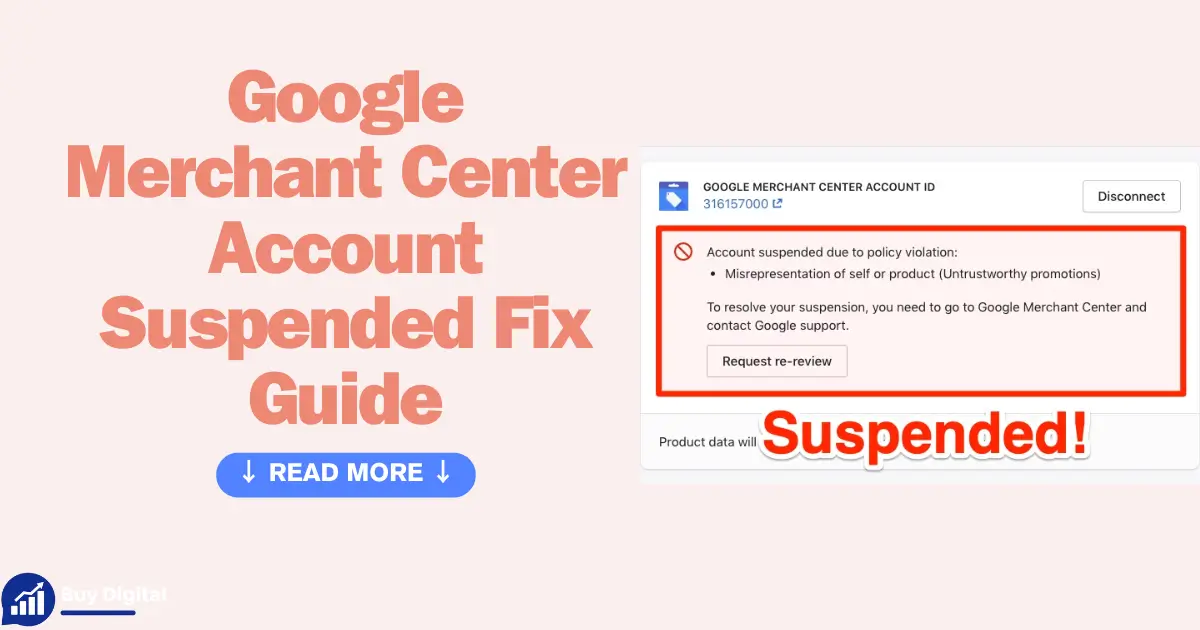
Reason 1: Misrepresentation of Self or Product
One of the most common reasons for a Google Merchant Center suspension is misrepresentation. This happens when the information you provide about your business or products is misleading or inaccurate, violating Google’s policies.
For e-commerce businesses, this often includes things like untrustworthy promotions, inaccurate product descriptions, or misleading claims that don’t align with what’s actually being offered. For example, if your ad promotes a “free shipping” offer but your website requires a minimum purchase for that offer, it could be flagged by Google as misrepresentation. Similarly, if you claim a product is a “limited edition,” but it’s available in large quantities, Google may see this as misleading and suspend your account.
It’s important to ensure that every piece of information in your product feed, ads, and website is truthful and transparent. Clear, honest communication helps maintain trust with both Google and your customers, ensuring your account stays in good standing.
Reason 2: Insufficient Contact Information
If your business details are missing or incomplete, it can lead to a Google Merchant Center suspension. Google requires all businesses to provide clear and accessible contact information, including a phone number, email address, and physical address. This is not only a trust factor but also a requirement to comply with Google’s transparency policies.
For example, if you run an online clothing store and your website doesn’t list a phone number for customer support or an easy-to-find email address, Google might flag your account. Missing or incomplete contact details could make your business appear less trustworthy, leading to a suspension. To avoid this, make sure you have a visible contact page with a valid phone number, email address, and business address.
Reason 3: Missing Return and Refund Policies
Google expects e-commerce sites to have clear and accessible policies regarding returns, refunds, and shipping. If any of these policies are missing or hard to find, it could result in a Merchant Center suspension.
For instance, if you own an online electronics store and sell high-ticket items like smartphones but don’t clearly display your return and refund policies, it may raise red flags with Google. Customers expect to know how to handle returns or refunds, especially for expensive products. By providing clear, accessible return policies on product pages and during checkout, you help meet Google’s requirements and ensure a smoother customer experience.
Reason 4: Inaccurate or Incomplete Product Feeds
Errors in your product feeds are a common reason for Google Merchant Center suspensions. These feeds contain critical data about your products, including prices, availability, and attributes. If your data isn’t accurate or complete, it can violate Google’s policies.
For example, if you list a product as “in stock” but it’s actually out of stock, or you display an incorrect price in your feed compared to your website, Google may suspend your account. Another issue could be missing product attributes, like the brand or color, which are required for certain product types. To avoid these problems, double-check that all your product data matches your website’s information, and regularly review your feed for any mismatches or missing details. This will help maintain your account’s compliance and avoid suspensions.
Reason 5: Linked Account Issues
Another common cause of suspension is issues with linked accounts, especially when your Google Ads account has problems like billing issues, fraud detection, or duplicate accounts. Google ties your Merchant Center account to your Google Ads account, and if there’s an issue with either, it can affect both.
For example, if your Google Ads account has a history of billing issues, like unpaid balances or payment failures, it can lead to a suspension of your Google Merchant Center account as well. Similarly, if Google detects fraudulent activity or if there are multiple duplicate accounts linked to your Merchant Center, your account might be flagged. To avoid this, ensure your Ads account is in good standing, update your billing information regularly, and only link accounts that comply with Google’s policies.
Reason 6: Payment Method Visibility and Legal Pages
Google requires all e-commerce websites to be transparent about their payment methods and to have essential legal pages clearly visible. If your payment options are hidden or if you lack key legal pages like a privacy policy or terms of service, it can lead to a Merchant Center suspension.
For example, if your payment options aren’t easy to find or the payment process isn’t fully clear, Google might flag your site for lack of transparency. Similarly, failing to provide key legal pages like a privacy policy can cause issues. These pages help customers understand how their data will be handled and protect them legally. To avoid suspensions, ensure that your payment methods are clearly displayed during checkout, and make sure all required legal pages are easy to access on your site.
Reason 7: Other Violations
Google Merchant Center suspensions can also occur due to broader policy violations that go beyond product-specific issues. This includes spam, unauthorized access, or violations related to prohibited content.
For instance, if your website contains spammy content—such as misleading ads, excessive pop-ups, or irrelevant links—Google may suspend your account. Similarly, unauthorized access to accounts or prohibited content like illegal products or services can result in an immediate suspension. Always make sure your website complies with Google’s advertising policies and content guidelines, and regularly review your content to ensure it’s in line with Google’s standards.
Step-by-Step Guide to Fixing a Suspended Google Merchant Center Account
Step 1: Review the Suspension Email and Dashboard
The first step to fixing a suspended Google Merchant Center account is to review the suspension email you received from Google. This email will explain the specific reason for the suspension, so take time to understand exactly what went wrong. You’ll also want to check your Merchant Center dashboard for any additional details or notifications regarding the violation.
For example, if Google points out that your product feed has errors, the email should include a list of specific issues to address. Gather evidence of compliance, like screenshots or documents, to show you’ve fixed the issues. Understanding the exact violation is key to ensuring you make the right changes before you appeal the suspension.
Fix Step 2: Correct Website and Feed Issues
Once you understand the suspension reason, the next step is to correct any website or feed issues. Start by reviewing your website to make sure all required contact information, return policies, and legal pages (like privacy policies and terms of service) are clearly visible. If these were missing or incomplete, update them immediately.
Next, go to your product data feed. Ensure that all product details—like prices, availability, and descriptions—are accurate and up to date. Fix any errors, such as products marked as in stock but out of stock, or inaccurate prices. If necessary, make your website mobile-friendly to meet Google’s requirements for usability. Once these updates are made, double-check everything for compliance before moving to the next step.
Fix Step 3: Submit Required Documents
Once you’ve reviewed and corrected the issues, the next step is to submit the required documents to Google for review. This is where you provide proof that you’ve fixed the problems that led to the suspension.
For example, if Google flags your account for missing business details, you may need to submit business verification documents like invoices, proof of ownership, or a government-issued ID. If the issue was related to the product feed, you might need to upload updated product data files or screenshots showing corrections to your website’s policies or product listings.
Be sure to follow the instructions provided in the suspension email closely, as Google will outline exactly what documents they need. Once submitted, your account will enter a review process, typically taking 5-7 business days, during which Google will assess whether the violations have been resolved.
Fix Step 4: Appeal the Suspension
Once you’ve reviewed the suspension reason and made the necessary changes, it’s time to appeal the suspension. You’ll need to use the appeal form within Google Merchant Center to submit your request. In the appeal form, be sure to clearly explain the changes you’ve made to fix the issues, such as updating your website’s contact info, correcting product data, or adding necessary policies.
It’s important to be specific about the steps you’ve taken and provide any supporting evidence that shows compliance. After submitting your appeal, Google will review the information, which typically takes 5-7 business days. If all the issues have been addressed, your account will be reinstated, and you can get back to running your ads.
Fix Step 5: Delink and Merge Accounts if Needed
If the suspension is linked to problems with your Google Ads account or if you have multiple duplicate accounts causing issues, you may need to delink or merge them.
For instance, if your Google Ads account is suspended due to billing problems or violations, you’ll need to remove any links between the suspended account and your Merchant Center account. If you have duplicate accounts or multiple Merchant Center profiles, merge them into one verified account to prevent confusion and policy issues in the future.
By consolidating your accounts and addressing any linked issues, you can reduce the risk of future suspensions and ensure that your Google Ads and Merchant Center accounts are in good standing.
Fix Step 6: Contact Google Support
If you’re facing a complex suspension or if you’ve already appealed but haven’t received a response, it’s time to contact Google Support. You can reach out through chat, email, or even phone for more direct assistance. Google Support can help clarify any issues with your appeal or suspension, especially if you’re unsure why your appeal was denied or if you’re dealing with a unique situation.
When you contact support, be sure to provide all relevant details, including what changes you’ve made to resolve the issue. If necessary, request a manual review to speed up the process or get more specific feedback on your account’s status. This step can often help resolve lingering issues that can’t be solved through the normal appeal process.
Fix Step 7: Monitor Post-Appeal
Once your account is reinstated, it’s crucial to monitor your campaigns closely to ensure there are no recurring issues. Start by testing your campaigns gradually—don’t rush to launch all of your ads at once. Begin with a few key campaigns, and closely track their performance to see if any violations or issues pop up again.
Regularly check for any warning messages in your Merchant Center account and keep an eye on your feed for errors or data discrepancies. Also, continue to track performance metrics like CTR, CPC, and conversion rates to ensure everything is running smoothly. If problems arise, be ready to take immediate corrective action to prevent another suspension.
Timeline and Expectations for Reinstatement
After submitting your appeal and making necessary changes, it’s important to have realistic expectations for the recovery timeline. On average, Google takes 1-4 weeks to review your suspension and decide whether to reinstate your account. The exact timeframe depends on the severity of the violation and the complexity of the issue at hand.
If your appeal is denied, don’t panic. You can always re-appeal, but this time, be sure to provide more detailed explanations or additional documentation that shows the corrections you’ve made. In some cases, if the appeal continues to be denied, you may need to consider creating a new, compliant Google Merchant Center account. However, make sure to follow Google’s guidelines closely to avoid the same issues in the future.
Prevention Tips to Avoid Future Google Merchant Center Suspensions
1. Tip 1: Regularly Audit Your Website
Audit your website regularly to make sure all your policies, like the return and refund policy, privacy policy, and terms of service, are visible and up-to-date. Contact details like phone number, email, and physical address must be easily accessible and accurate.
Also, ensure that payment information is clear and transparent. By doing this audit every few weeks, you’ll stay ahead of any issues that could potentially lead to a suspension, helping you maintain a compliant and trustworthy site.
2. Prevention Tip 2: Maintain Accurate Product Feeds
Keep your product feeds accurate by regularly checking them for errors. Make sure your prices, product availability, and product attributes are correct and match what’s listed on your website. Use tools like Feedonomics or Google’s Diagnostics tool to validate your product data. It’s a good habit to check your product feeds weekly to catch any discrepancies early and avoid any issues that could lead to a suspension. This will help ensure your campaigns run smoothly and stay compliant.
3. Prevention Tip 3: Comply with Google Policies
Stay updated on Google’s policies by regularly checking official resources like the Google Merchant Center Help Center and Google Ads Policy Updates. Google often makes changes to its policies, and staying informed ensures that your ads remain compliant. Avoid risky promotions that might violate Google’s guidelines, such as misleading claims, prohibited content, or deceptive offers. By keeping up with policy changes and staying within Google’s rules, you can minimize the risk of a suspension and maintain smooth ad operations.
4. Prevention Tip 4: Use a Single Verified Account
Use a single verified Google Ads account to avoid complications with your Merchant Center account. Multiple accounts can lead to confusion, billing issues, and potential suspensions. Always ensure that your Google Ads account is fully verified and linked only to trusted accounts. By consolidating your accounts and keeping your verification process clean, you’ll help maintain compliance and reduce the chance of encountering issues that could impact your campaigns.
5. Prevention Tip 5: Integrate Monitoring Tools
Set up monitoring tools to help keep track of your account’s compliance status. You can enable alerts in Google Merchant Center to get notified about potential issues or policy violations. Additionally, consider using third-party tools like Optmyzr or Feedonomics for ongoing feed management and compliance checks. By integrating these tools, you’ll have a proactive system in place to catch issues early, keeping your account in good standing and your campaigns running smoothly.
Conclusion
Recovering from a Google Merchant Center suspension can be challenging, but with the right steps, it’s possible to get your account back on track. The most common causes of suspension include misrepresentation of products, incomplete or inaccurate product feeds, and missing or hidden business information. These issues can be resolved by following the steps to correct website and feed errors, submitting the required documents, and appealing the suspension with clear explanations.
To avoid future suspensions, it’s essential to audit your website regularly, ensure your product data feeds are accurate, and stay updated on Google’s policies. Using monitoring tools can help you catch issues before they become problems, and consolidating to a single, verified account can simplify your account management.