


Snapchat has become a favorite spot for brands that want to reach young, active audiences. But as the platform grows, advertising rules and account restrictions get tighter. Many businesses and media buyers find it hard to scale campaigns using their own ad accounts. This is where renting a Snapchat Ads Agency Account comes in—a smart shortcut for those who want results fast without all the red tape.
This guide breaks down everything you need to know about renting Snapchat Ads Agency Accounts, including why people do it, how it works, what you should watch out for, and how pricing compares across account types. By the end, you’ll have a clear idea of whether this solution fits your marketing goals.
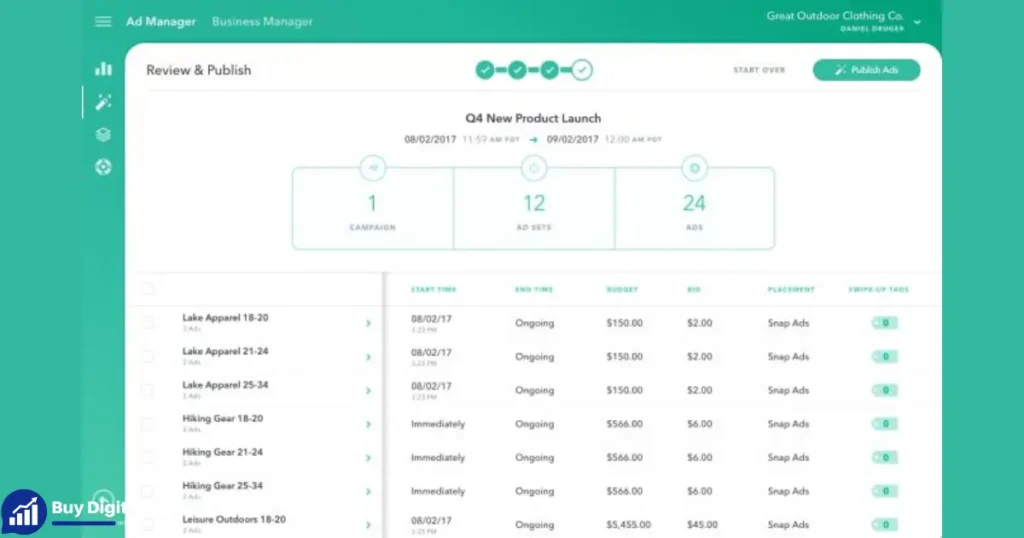
Why Rent A Snapchat Ads Agency Account?
Running ads on Snapchat sounds easy—until your account gets flagged, your campaigns are limited, or you can’t access features reserved for agencies. That’s when renting a Snapchat Ads Agency Account can help.
Here’s why many advertisers choose this path:
- Instant access to high-trust accounts: Agency accounts usually have a verified status and a solid spend history. This makes it less likely your ads will be rejected or paused.
- Higher spend limits: New business accounts often start with low daily spend caps. Agency accounts have a track record so you can scale faster.
- Advanced features unlocked: Some advanced targeting, analytics, and billing options are only available to agency-level accounts.
- Less risk of bans and holds: Accounts with established reputations are less likely to be flagged for suspicious activity, which is common with new advertiser accounts.
- Faster campaign approvals: Snapchat reviews ads from trusted accounts more quickly, so you can launch campaigns without long delays.
Real-world Example
Imagine you’re launching a time-limited product drop and need to spend $5,000 in a week. A new Snapchat Ads account may cap you at $100 per day. Renting an agency account with a $10,000 spend history removes that roadblock—your budget can be used right away.
How Does Renting Work?
Renting a Snapchat Ads Agency Account means you pay a monthly fee to use an account that’s already set up and verified. Here’s how the process usually works:
- Find a provider: Look for an agency or broker with a good reputation. Check reviews, ask for proof of account status, and make sure they provide support.
- Choose your account type: Accounts vary in age, features, and spend history. Pick one that fits your campaign needs and budget.
- Sign an agreement: Most providers require a rental agreement to protect both sides. This may include rules on account usage, payment terms, and support.
- Secure access: The provider gives you login details. Some use secure remote access tools so you never see the password directly, which protects both parties.
- Run your ads: You set up and manage your campaigns, just like you would with your own account.
- Ongoing support: Good providers offer troubleshooting and help if you run into issues or need to scale up.
What About Payment?
Most rentals are paid monthly, but some providers offer weekly or campaign-based rates for short-term needs. Payments are often made via bank transfer, PayPal, or crypto to protect privacy and speed up the process.
Security Measures
Reputable providers use tools like GoLogin or Multilogin to keep sessions secure. You may be asked to work from a whitelisted IP address or only access the account during set hours. These steps reduce the risk of account bans due to suspicious logins.
Who Should Consider Renting?
Renting isn’t for everyone. Here’s who benefits most:
- Media buyers and agencies: Need to manage multiple clients or high budgets without restrictions.
- E-commerce brands: Want to test Snapchat at scale but don’t have time to build account history.
- Startups and app developers: Need instant campaign results or want to avoid new account bans.
- International advertisers: Who face approval or payment issues with local Snapchat accounts.
When You Shouldn’t Rent
- If you only plan to spend a small budget (under $1000 per month), the cost of renting may outweigh the benefits.
- If you need direct billing integration with your company or require full account ownership.
- If you’re new to Snapchat advertising—start with your own account to learn the basics.
Pricing At A Glance
Snapchat Ads Agency Accounts come in different types, each with unique features and pricing. Here’s a quick overview for easy comparison:
| Account Type | Spending History | Features | Monthly Rent (USD) |
|---|---|---|---|
| New Verified Snapchat Ads Agency Account | $0 (No spending history) | Fully verified, good for testing or small campaigns | $100 |
| Aged Credible Snapchat Ads Agency Account | $5,000–$10,000 | Verified, moderate ad history, basic multi-targeting | $250 |
| High-Spend Snapchat Ads Agency Account | $10,000–$25,000 | Verified, high spending history, multi-targeting, secure login | $400 |
| Premium Snapchat Ads Agency Account | $25,000–$50,000 | Multi-currency, global targeting, secure setup, top-up options | $600 |
| Elite Snapchat Ads Agency Account | $50,000+ | Fully aged, priority support, advanced targeting, flexible top-ups | $900 |
How To Pick The Right Tier
- Small campaigns: Go for a New Verified account; lower cost, enough for basic testing.
- Scaling up: An Aged Credible or High-Spend account offers more trust and higher spend.
- Global or high-budget needs: Premium and Elite accounts unlock multi-currency and advanced features, ideal for agencies or large brands.
Key Features To Compare
Not all agency accounts are equal. Here are the features that matter most:
1. Spending History
Older accounts with high spend are less likely to face restrictions. Snapchat’s system trusts them more.
2. Verification Status
A fully verified account is less likely to be banned and more likely to get fast ad approvals.
3. Targeting Options
Agency accounts may unlock advanced targeting (interests, lookalikes, multi-country).
4. Billing And Payment Flexibility
Some accounts can use multiple payment methods, or even multi-currency billing.
5. Support Access
Premium and Elite accounts may come with faster support from both the provider and Snapchat.
6. Account Management Setup
Will you get direct login, or need to use remote access tools? Make sure you know what’s required.
Here’s a head-to-head comparison of common features:
| Feature | New Verified | Aged Credible | High-Spend | Premium | Elite |
|---|---|---|---|---|---|
| Spend Limit | Low ($500–$1,000/mo) | Medium ($5,000–$10,000/mo) | High ($20,000/mo+) | Very High ($40,000+/mo) | Custom/Unlimited |
| Verification | Yes | Yes | Yes | Yes | Yes |
| Multi-Currency | No | No | Maybe | Yes | Yes |
| Advanced Targeting | No | Basic | Yes | Yes | Full Suite |
| Direct Snapchat Support | No | Maybe | Priority | Priority | Priority/Direct Line |
Common Pitfalls And How To Avoid Them
Renting an ad account can save time, but it’s not risk-free. Here are mistakes many beginners make, and how to sidestep them:
1. Choosing The Cheapest Provider
Low prices often mean poor support, unreliable accounts, or outright scams. Always check for verifiable reviews and ask for proof of account status before paying.
2. Ignoring Security Protocols
Logging in from different locations or devices can trigger security checks. Use the tools and access methods your provider recommends—even if they seem inconvenient.
3. Overlooking The Agreement
Read the rental contract carefully. Some providers ban certain verticals (like adult or gambling) or have strict rules on payment failures. Know what you’re signing up for.
4. Not Preparing Creative Assets
Switching accounts won’t fix poor ad quality. Make sure your creative assets are ready and follow Snapchat’s ad policies.
5. Setting Unrealistic Expectations
Even with a top-tier account, you still need good targeting and a solid offer. Renting is not a magic bullet.
Non-obvious Tip
If you plan to run multiple Snapchat ad accounts (for different brands or markets), ask your provider about bulk discounts or multi-account dashboards. This can save money and make management easier.
How To Choose A Reliable Provider
Not all account rental services are created equal. Here’s what to look for:
- Reputation: Check online forums, industry groups, and past client feedback.
- Transparency: A good provider will explain their process, offer references, and share real screenshots (with sensitive info hidden).
- Support: Look for 24/7 or at least same-day support, especially if you’re running high-budget campaigns.
- Security: The provider should use secure access tools and explain how your data is protected.
- Flexibility: Can you upgrade or downgrade your account if your needs change? Ask before you commit.
Quick Quality Checklist
- Is the account type and history clearly documented?
- Are payment terms fair and clear?
- Does the provider help if you get locked out or need a quick reset?
- Are there examples of past successful renters?
Setting Up And Launching Your First Campaign
Once you have access to your rented Snapchat Ads Agency Account, it’s time to launch. Here’s a step-by-step guide to get started:
1. Secure Your Access
- Use the recommended browser profile or access tool (like GoLogin).
- Avoid logging in from new devices or IPs unless whitelisted.
- Change passwords only if allowed by your provider.
2. Set Up Billing
- Some accounts come with prepaid balances; others require you to add a payment method.
- For high-tier accounts, ask about top-up options or multi-currency support.
- Keep receipts and screenshots for all payments.
3. Upload Creative Assets
- Follow Snapchat’s specs for image/video size, aspect ratio, and file type.
- Double-check for policy compliance—no misleading claims, banned verticals, or copyright issues.
4. Build Your Campaigns
- Set your targeting, budget, and schedule as needed.
- Test with a small budget at first to ensure everything works smoothly.
5. Monitor Performance
- Use Snapchat’s built-in analytics for real-time data on impressions, clicks, and conversions.
- Watch for warnings or errors—act quickly if you see anything unusual.
6. Optimize And Scale
- Adjust your targeting, creative, and budget based on early results.
- Scale up only if performance and account health are stable.
Pro Insight
Many new renters overlook the importance of campaign warm-up. Don’t start with huge budgets right away. Gradually increase spend over a few days to avoid account flags.
Advanced Features: What You Can Unlock
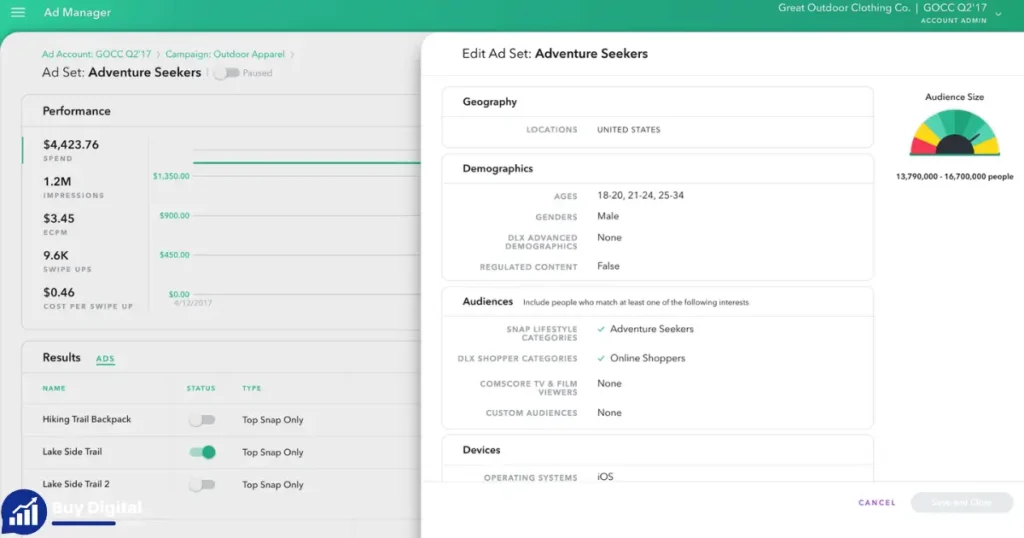
Renting higher-tier Snapchat Ads Agency Accounts opens doors to tools and features that basic accounts can’t access. Here’s what advanced users get:
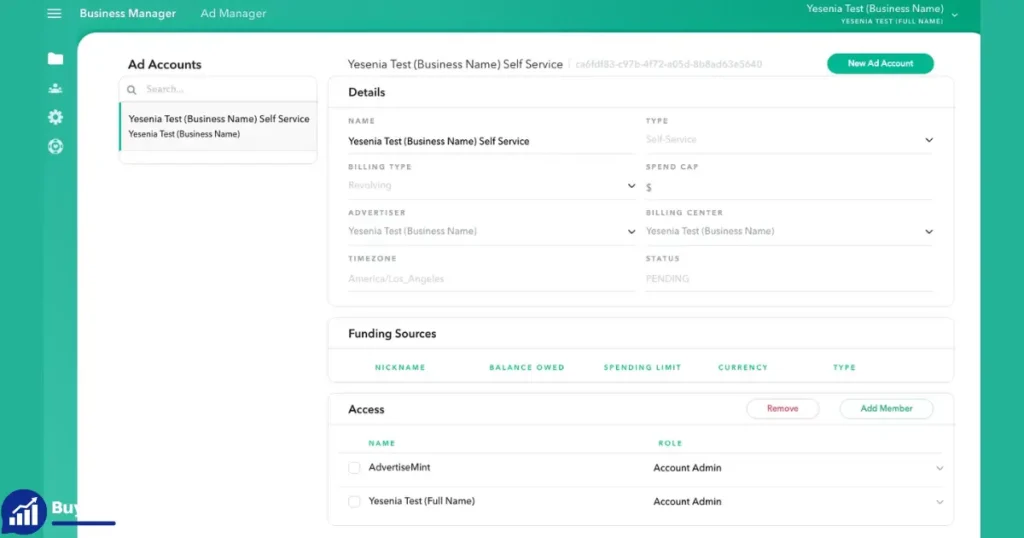
Multi-account Management
If you’re an agency, you can manage multiple clients from a single dashboard. This means less juggling and more organized reporting.
Advanced Targeting
Elite accounts often allow:
- Lookalike audiences from your email lists or app installs
- Interest targeting beyond standard categories
- Multi-country or global campaign setup
Custom Billing And Currencies
Premium and Elite accounts may support:
- Billing in USD, EUR, GBP, or local currencies
- Multiple payment methods (credit card, wire, PayPal)
- Flexible top-up and credit options
Priority Snapchat Support
When issues arise, higher-tier accounts get faster help—sometimes with a direct line to a Snapchat rep.
Data Table: Feature Unlocks By Account Tier
| Account Tier | Multi-Account Management | Advanced Targeting | Custom Billing | Priority Support |
|---|---|---|---|---|
| New Verified | No | No | No | No |
| Aged Credible | Limited | Basic | No | Maybe |
| High-Spend | Yes | Yes | Maybe | Yes |
| Premium | Yes | Yes | Yes | Yes |
| Elite | Full Suite | Full Suite | Yes | Direct Line |
Legal And Compliance Considerations
Renting a Snapchat Ads Agency Account is not officially supported by Snapchat’s terms of service. While thousands of advertisers use rented accounts, there are risks:
- Account bans: If Snapchat detects unusual activity or rule violations, accounts can be suspended without warning.
- Payment disputes: If a provider disappears or doesn’t pay Snapchat, your campaigns may stop suddenly.
- Data privacy: You’re trusting a third party with your ad data and sometimes your creative assets.
How To Lower Your Risk
- Work only with providers who use secure access tools and never share your login outside authorized devices.
- Avoid blacklisted or high-risk verticals (like gambling, crypto, or adult) unless your provider confirms it’s allowed.
- Keep records of your ad spend, campaign results, and all provider communications.
For more details on Snapchat’s official ad policies, review the latest guidelines at the official Snapchat Business Help Center.
Pros And Cons Of Rent Snapchat Ads Agency Account
Pros
- Fast campaign launch: Skip the long approval and warm-up period.
- Higher spend limits: Run bigger campaigns from day one.
- Access to advanced features: Unlock tools not available to new accounts.
- Reduced risk of bans: Older, verified accounts are more stable.
- Support and guidance: Good providers help with setup, troubleshooting, and scaling.
Cons
- Ongoing rental cost: Monthly fees add up, especially for high-tier accounts.
- Potential for bans: Snapchat may close rented accounts at any time.
- Less control: You don’t own the account, which means less flexibility long-term.
- Legal gray area: Renting breaks Snapchat’s official rules, so there’s always some risk.
Non-obvious Downside
If you build your whole business on a rented account, you may lose all your campaign data and audiences if access is suddenly cut off. Always back up your creative assets and export key reports regularly.
When To Graduate To Your Own Account
Agency accounts are a shortcut, but they shouldn’t be your forever solution. As your Snapchat ad strategy matures, consider:
- Warming up your own business account: Run low-risk campaigns slowly to build trust and spend history.
- Applying for agency status: Large media buyers can request agency or managed account status directly from Snapchat.
- Diversifying platforms: Don’t put all your ad dollars into one rented account or platform.
This way, you’re not left stranded if a rented account is banned or withdrawn.
Frequently Asked Questions
What Is A Snapchat Ads Agency Account?
A Snapchat Ads Agency Account is a business ad account with verified status, a spend history, and access to advanced features. These accounts are usually created and managed by digital marketing agencies and can be rented by other advertisers who want to skip the long approval process.
Is Renting A Snapchat Ads Agency Account Safe?
There are always risks because Snapchat doesn’t officially support account rentals. However, working with reputable providers who use secure access tools and clear agreements can lower your risk of account bans or lost funds.
How Do I Pay For A Rented Snapchat Ads Agency Account?
Most providers charge a monthly fee, with options for short-term rentals. Payment methods include bank transfer, PayPal, or cryptocurrency. Always confirm payment terms and get a receipt for your records.
Can I Use My Own Creative And Targeting With A Rented Account?
Yes, you set up and control your campaigns just like in your own account. You upload your creative, select your audience, and manage spend. Some providers may have restrictions on certain verticals or ad types, so ask before you start.
What Happens If The Account Gets Banned?
If Snapchat bans the account, your campaigns will stop immediately. A good provider will either refund the unused rental period or offer a replacement account. Always keep backups of your ads and data to avoid losing everything.
Renting a Snapchat Ads Agency Account can be a smart move for those who need speed, scale, and advanced features. But it comes with risks and costs that you need to weigh carefully. If you pick the right provider, understand the process, and follow best practices, you can launch and scale Snapchat campaigns without the usual headaches.
Just remember to plan for the future—building your own account is still the safest long-term strategy.








– Daniel Moore
Excellent service, got a verified Snapchat Ads agency account within minutes. Highly recommended!