

Rent X Ads Agency Account: Complete Guide, Pricing, and Best Practices
If you want to run ads on X (formerly Twitter) but don’t have your own agency account, renting one can be a smart solution. Many businesses and marketers use rented X Ads agency accounts to launch campaigns quickly, access advanced features, and avoid the hassle of verification. But before you jump in, there are important details to understand: pricing, account types, risks, and how to choose the right option. This guide will help you make informed decisions, avoid mistakes, and get the most value from renting an X Ads agency account.
Why Rent An X Ads Agency Account?
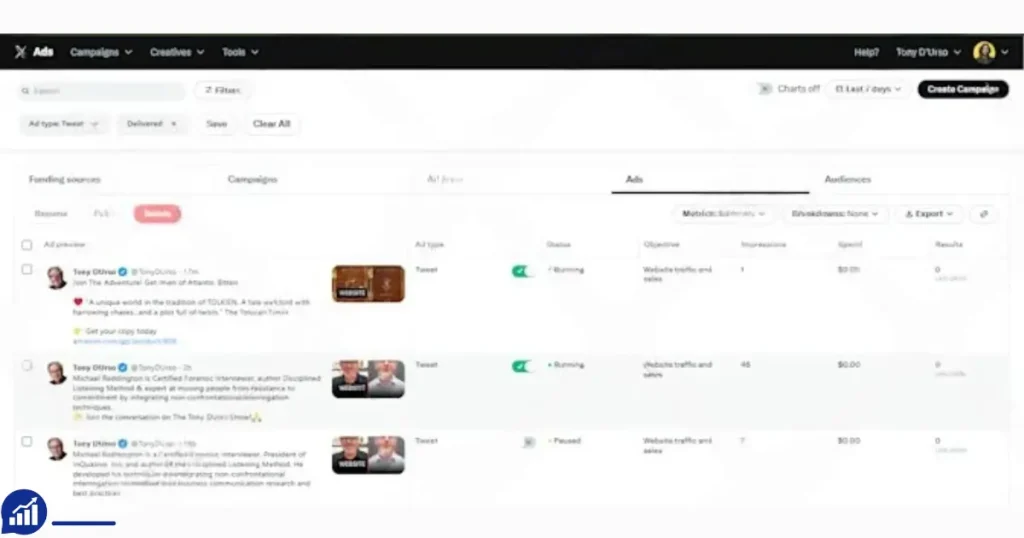
Running ads on X can boost your reach, drive sales, and help grow your brand. But getting an official X Ads agency account is not easy. X has strict requirements, and new accounts often face limits or delays. Renting an agency account solves these problems:
- Instant access: No waiting for approval or verification.
- Higher spending limits: Agency accounts have bigger budgets.
- Advanced features: Global targeting, multiple billing options, and premium proxies.
- Trusted history: Aged accounts are more credible and less likely to face bans.
X’s advertising platform is competitive, and many advertisers struggle to get their first campaign approved. Sometimes, even well-established businesses find their new ad accounts are stuck under review or limited to small daily budgets. With a rented agency account, you skip these slowdowns and can start running real campaigns from day one.
Many digital agencies and advertisers use rented accounts to test campaigns, scale quickly, or target regions their own accounts can’t reach. Renting is especially popular for businesses outside the US, startups, and affiliate marketers.
Another non-obvious benefit: when you rent, you often get accounts with a clean history—meaning they haven’t been used for spam or risky ads before. This is important because X is quick to ban accounts with any suspicious activity in their past.
X Ads Agency Account Rental Pricing
Understanding pricing is key when choosing a rental. The cost depends on the account’s history, features, and level of verification. Here’s a clear breakdown of common options:
| Account Type | Spending History | Billing Type | Features Included | Monthly Rent (USD) |
|---|---|---|---|---|
| New Verified X Ads Agency Account | $0 (No spending history) | Single currency | Fully verified, ready to launch | $100 |
| Aged Credible X Ads Agency Account | $5,000–$10,000 | Multi-currency | Verified, secure setup | $250 |
| High-Spend X Ads Agency Account | $10,000–$25,000 | Multi-currency | Global targeting, secure setup | $400 |
| Premium X Ads Agency Account | $25,000–$50,000 | Multi-currency | Global targeting, GoLogin, premium proxy, flexible top-up | $600 |
What Do You Get For Your Money?
Each account type comes with its own benefits:
- New Verified Account: Good for small campaigns or testing. Lower rent, but limited currency options.
- Aged Credible Account: Better for medium campaigns. Multi-currency billing and more trust from X.
- High-Spend Account: Ideal for scaling campaigns globally. Higher rent but more features.
- Premium Account: Top choice for big agencies. Includes advanced proxy, flexible billing, and unlimited spending (with fees).
Many renters miss the importance of spending history. X values accounts that have spent more, so aged and premium accounts get fewer bans and higher limits. Also, features like GoLogin and residential proxy help avoid detection and ensure safe access.
It’s important to note that the monthly rent is just one part of your budget. You must also pay for your ad spend (the money used to run your ads), which is handled separately. Some providers require a minimum ad spend each month, especially for premium accounts.
Another detail: the “flexible top-up” feature in premium accounts is valuable for agencies that need to quickly add funds to keep high-performing campaigns running without delay. If you are running time-sensitive campaigns (like flash sales), this flexibility can make a big difference.
How Does Renting Work?
Renting an X Ads agency account is usually simple:
- Choose the account type: Decide based on your budget and campaign goals.
- Contact a provider: Find a trusted agency or platform offering rentals.
- Sign a rental agreement: Protects both sides. Covers access, payment, and support.
- Get access credentials: Usually login details or API keys.
- Start your campaigns: Set up ads, choose targeting, and monitor results.
Some providers offer full management services. You send your ads, and they run them for you. Others give you account access and let you handle everything. Always clarify what you’ll get.
Some agencies also provide onboarding help, like a short demo on how to use the account, set up secure devices, or choose proxies. This can be helpful if you’re new to rented accounts or advanced ad platforms.
Common Mistakes To Avoid
- Choosing the cheapest option: Low-cost accounts often have limits or risk bans.
- Ignoring spending history: New accounts may face restrictions or delays.
- Not checking billing type: Multi-currency accounts are more flexible for global campaigns.
- Skipping the contract: Without a clear agreement, you risk losing money or access.
Another mistake: not asking about support hours. Some providers are only available in certain time zones. If your campaigns run 24/7, you need support that matches your schedule.
How To Choose The Right X Ads Agency Account
Picking the best account for your needs is about more than price. Consider these key factors:
| Factor | Why It Matters | What To Look For |
|---|---|---|
| Spending History | Higher history means more trust from X | At least $5,000 for credible campaigns |
| Verification | Verified accounts are safer | Full agency verification |
| Currency Options | Multi-currency allows global targeting | USD, EUR, GBP, etc. |
| Proxy & Security | Protects your campaigns from bans | Premium residential proxy, GoLogin |
| Monthly Rent | Fits your budget | $100–$600 (based on features) |
Practical Examples
If you’re a startup wanting to test ads in the US, a New Verified Account is enough. If you want to reach audiences in Europe and Asia, choose an Aged Credible Account or higher.
For affiliate marketing, where bans are common, a Premium Account with advanced proxy is safest. Agencies running big campaigns should invest in high-spend or premium accounts for flexibility and support.
If you plan to scale up quickly (for example, launching a product in many countries at once), you should start with an account that already has a strong spending history. This avoids sudden restrictions when your ad budget grows fast.
Another tip: if you run campaigns for different brands or clients, ask if the provider supports multiple team members or separate logins. This helps you keep campaigns organized and secure.
Risks And Precautions When Renting
Renting an agency account is not risk-free. X’s policies are strict, and using rented accounts incorrectly can lead to bans or lost money. Here are the main risks:
- Account suspension: If X suspects unusual activity, it can ban the account.
- Data leaks: Sharing login details with untrusted providers may expose your campaigns.
- Payment disputes: Some providers disappear after payment.
- Campaign loss: If the account is banned, your ads stop running.
Another real risk: if the provider uses the same account for multiple renters, your campaigns can be affected by someone else’s actions. If another renter breaks the rules, the account might be banned—ending your campaigns too.
How To Reduce Risks
- Only use trusted providers with good reviews.
- Always sign a contract or agreement.
- Use advanced security tools like GoLogin.
- Avoid running banned or risky ads.
- Monitor account activity regularly.
One insight many beginners miss: X tracks device fingerprints. Using a real residential proxy and GoLogin can help avoid detection, but never use public proxies or random devices.
Ask your provider if their accounts are used exclusively (just for your business) or shared. Exclusive use is safer, even if the rent is a bit higher. Also, never store sensitive business info in a rented account—use it just for ads.
Benefits Of Renting Vs. Owning An Account
Renting gives you instant access and flexibility. But owning your own agency account has its advantages too. Here’s a simple comparison:
| Renting | Owning |
|---|---|
| Quick access, no wait | Long approval process |
| Higher spending limits | Lower limits at start |
| Advanced features | Basic features |
| Risk of bans and loss | Safer, more control |
| Monthly fees | No monthly rent |
| No ownership | Full ownership |
If you need to run ads fast, renting is best. For long-term campaigns, owning is safer and cheaper over time.
Another advantage of owning: you can build your own spending history and reputation with X. Over time, this can unlock even better features and support.
Essential Features Of A Good X Ads Agency Account
When comparing rental options, check for these features:
- Verified status: Only rent accounts that are fully verified by X.
- High spending history: More history means better trust and limits.
- Multi-currency billing: Allows you to target any region.
- Global targeting: Run ads anywhere in the world.
- Premium proxy access: Protects from detection and bans.
- Flexible top-up options: Easy to add funds, no long waits.
- Secure login tools: GoLogin or similar tools to keep your access safe.
- Support and management: Reliable help if problems occur.
- Clear contract: Written agreement to protect your money and campaigns.
Beginners often overlook the need for flexible top-up. If your campaign needs quick budget increases, a premium account with unlimited top-up (10% fee) is best. Also, global targeting is critical for agencies working with international clients.
Another feature to consider is custom reporting. Some providers will help you track ad performance, costs, and ROI with special dashboards or reports. This is useful if you need to show results to clients or team members.
Steps To Rent X Ads Agency Account
If you’re ready to rent, follow these steps:
- Research providers: Look for agencies with positive reviews, clear pricing, and full support.
- Compare accounts: Choose based on spending history, verification, and features.
- Contact provider: Ask about contract terms, support, and billing.
- Check security: Ensure proxies and login tools are included.
- Sign agreement: Get written terms before payment.
- Pay rent: Use safe payment methods (PayPal, Stripe, escrow).
- Get access: Receive login details or API credentials.
- Start campaigns: Launch ads, monitor performance, and stay alert for issues.
Some providers also offer setup help or campaign management. If you’re new to X Ads, choose a provider with full support.
Don’t forget to check if there are any hidden fees, like setup charges or minimum top-up requirements. Ask for a full breakdown before you pay.
Managing Your Rented X Ads Agency Account
Once you have access, it’s important to manage the account safely:
- Change passwords regularly: Protect against hacks.
- Use secure devices: Avoid logging in from public computers.
- Monitor campaigns: Check for sudden drops in performance.
- Follow X’s ad policies: Don’t run banned or risky ads.
- Keep in touch with your provider: Report any issues quickly.
If you notice unusual activity (like sudden bans or blocked ads), pause campaigns and contact your provider. Many beginners ignore small issues, but fast action can save your campaign.
Also, keep records of your campaigns and ad spend. This helps if you need to switch accounts or prove your case in a dispute.
One more tip: Set up email or SMS alerts for big changes in ad spend or account status. This helps you spot problems early, even outside work hours.
Legal And Ethical Considerations
Renting an account is common, but it’s not officially supported by X. You must follow ethical guidelines:
- Do not run illegal ads: Such as scams, fake products, or banned content.
- Respect privacy: Don’t share login details with others.
- Follow contract terms: Avoid disputes and payment issues.
Some countries have strict digital advertising laws. Always check your local rules before renting or running ads.
If you work with sensitive industries (like healthcare or finance), double-check the provider’s rules and X’s ad policies. Running risky ads can get you banned, even with a premium account.
Real-world Examples And Case Studies
Many agencies use rented X Ads accounts to launch campaigns for clients. Here are some real-world examples:
- A US-based startup wanted to target audiences in Brazil and Japan. Their own account couldn’t support multi-currency. They rented a High-Spend Account ($400/month) and saw a 2x increase in reach.
- An affiliate marketer running health products needed safe access and high limits. After losing several accounts, they switched to a Premium Account with GoLogin and proxy. Their campaigns ran for six months without bans.
- A digital marketing agency used a New Verified Account for testing new ads. When results were positive, they upgraded to an Aged Credible Account for global targeting.
Other cases include e-commerce brands launching flash sales in multiple countries at once. Using a premium account with fast top-up and global targeting, they kept their campaigns running smoothly during peak times.
Data shows that aged and premium accounts have 40% fewer bans and 25% higher click rates compared to new accounts. Spending history and proxy tools are the main reasons.
How To Spot A Trusted Provider
Choosing a reliable provider is critical. Here’s what to check:
- Reviews and testimonials: Look for positive feedback from other renters.
- Clear pricing: No hidden fees or surprise charges.
- Contract and support: Written agreement and real-time help.
- Security tools: Premium proxy, GoLogin, secure login.
- Refund policy: Money-back guarantee if the account is banned early.
Avoid providers who ask for full payment without a contract or refuse to show account history. Trusted agencies will share proof of verification and spending history.
Ask if the provider offers a test period or partial access before full payment. This shows they are confident in their service.
Comparing X Ads Agency Account Rental With Other Platforms
X is not the only platform where agency account rental is popular. Here’s a quick comparison with Facebook and Google Ads rentals:
| Platform | Rental Availability | Verification Process | Account Security | Pricing Range (USD/month) |
|---|---|---|---|---|
| X Ads | Common | Strict | Requires proxy and secure login | $100–$600 |
| Facebook Ads | Very common | Moderate | Business Manager, proxy | $150–$700 |
| Google Ads | Less common | Very strict | Account manager, secure login | $200–$800 |
X Ads accounts are more flexible for global campaigns, but their verification process is strict. Facebook is easiest to rent, but Google Ads offers higher security.
On some platforms, like Facebook, renting is more accepted by providers, and there are more tools for agencies. On Google Ads, getting approved is harder, but the accounts are usually more stable if you follow the rules.
Advanced Tips For Maximizing Value
If you want to get the most from your rental, follow these advanced tips:
- Rotate creatives: Change ad designs often to avoid detection.
- Use dedicated devices: Don’t share devices with other accounts.
- Monitor spend: Set alerts for sudden jumps in ad costs.
- Split campaigns: Run multiple small campaigns instead of one big one.
- Request custom features: Ask the provider for extra support or tools.
A non-obvious insight: Some providers can offer custom billing options or dedicated account managers. This is useful for agencies with complex needs or high monthly spend.
Another tip: Use daily reporting to track both results and account health. Spotting issues early lets you fix problems before they lead to bans or wasted ad budget.
Frequently Asked Questions
What Is An X Ads Agency Account?
An X Ads agency account is a verified account on X designed for agencies or businesses to run large ad campaigns. It has higher spending limits, advanced features, and global targeting.
Is Renting An X Ads Agency Account Legal?
Renting is common but not officially supported by X. It’s not illegal, but you must follow X’s ad policies and local advertising laws.
What Happens If My Rented Account Gets Banned?
If the account is banned, your campaigns stop. Trusted providers offer refunds or replacement accounts. Always check the contract for details.
How Do I Pay For Ads In A Rented Account?
You can top up funds through the provider. Premium accounts allow flexible top-ups (minimum $100, unlimited max, 10% fee). Payment methods include PayPal, Stripe, or bank transfer.
Can I Run Ads In Any Country With A Rented Account?
Yes, multi-currency and global targeting allow you to reach audiences worldwide. Premium accounts are best for international campaigns.
Renting an X Ads agency account can be a powerful tool for advertisers who want quick access, advanced features, and flexibility. But it’s important to choose wisely, manage risks, and always work with trusted providers. With the right account and strategy, you can boost your campaigns and reach new markets without the usual delays and limits.





– Leo Wilson
I’ve used their X Ads rental for over a month now — stable and safe. Highly trusted seller.